
Confirm payment wey customer talk say dem don make
For short
When customer tap I don pay, di claim go wait for Payments. Check your wallet or bank, den tap Confirm di payment to add am to their account, or Reject am with reason.
For this page
When customer pay you by JazzCash, Easypaisa, Raast or bank and tap I don pay for their credit account, di claim go show for Payments with number for di menu. Check say di money don land for your account, den tap Confirm di payment: Credit Khata go write di payment for di customer ledger for you. If di money no dey there, tap Reject am and give reason wey di customer go see.
Nothing go move for di ledger until you confirm. Di claim na wetin di customer talk; di ledger remain your own record.
Where payment claims dey show
- Counter app for computer: Payments for di Run your shop menu, with red badge wey show how many dey wait.
- Counter app for phone: Payments to confirm chip under E dey wait for you for Home, and inbox icon with badge for di top of di screen.
- Android app: di Payments to confirm chip under E dey wait for you for Home, or Payments for your shortcuts or under All tools, with number of how many dey wait.
- Notifications: di shop devices dey get "Payment to confirm" alert (meaning: payment wey you suppose confirm) where push notifications dey work.
Check and confirm payment
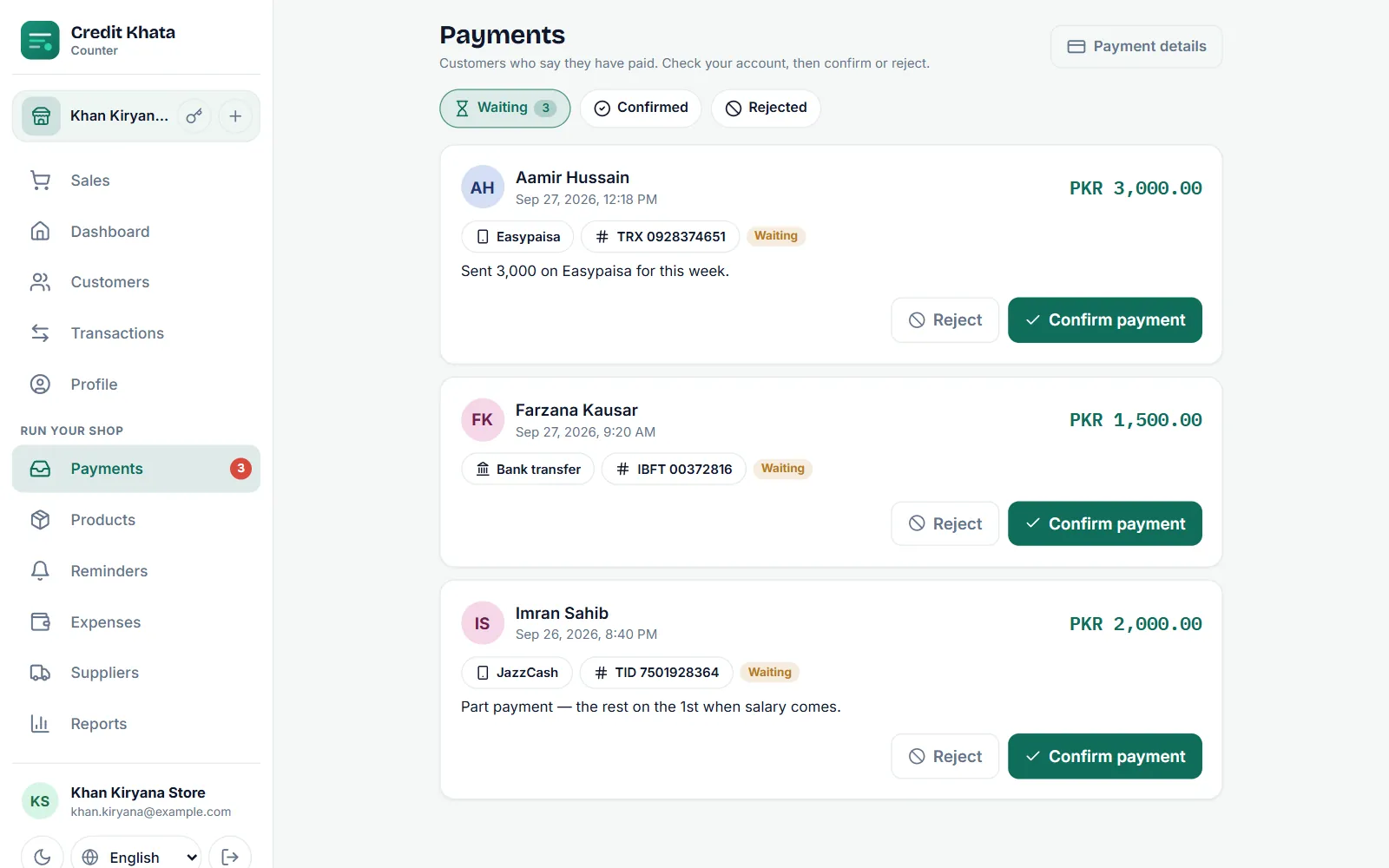
- Open Payments. Di E dey wait tab dey list every open claim.
- Read di card: di customer, when dem send am, di amount, how dem pay (for example Easypaisa or Bank account), di transaction reference if dem give one, their note and any Payment screenshot.
- Open your wallet or bank app and find di money. Match di amount and di transaction ID (TID or TRX) with your SMS or statement.
- Tap Confirm di payment.
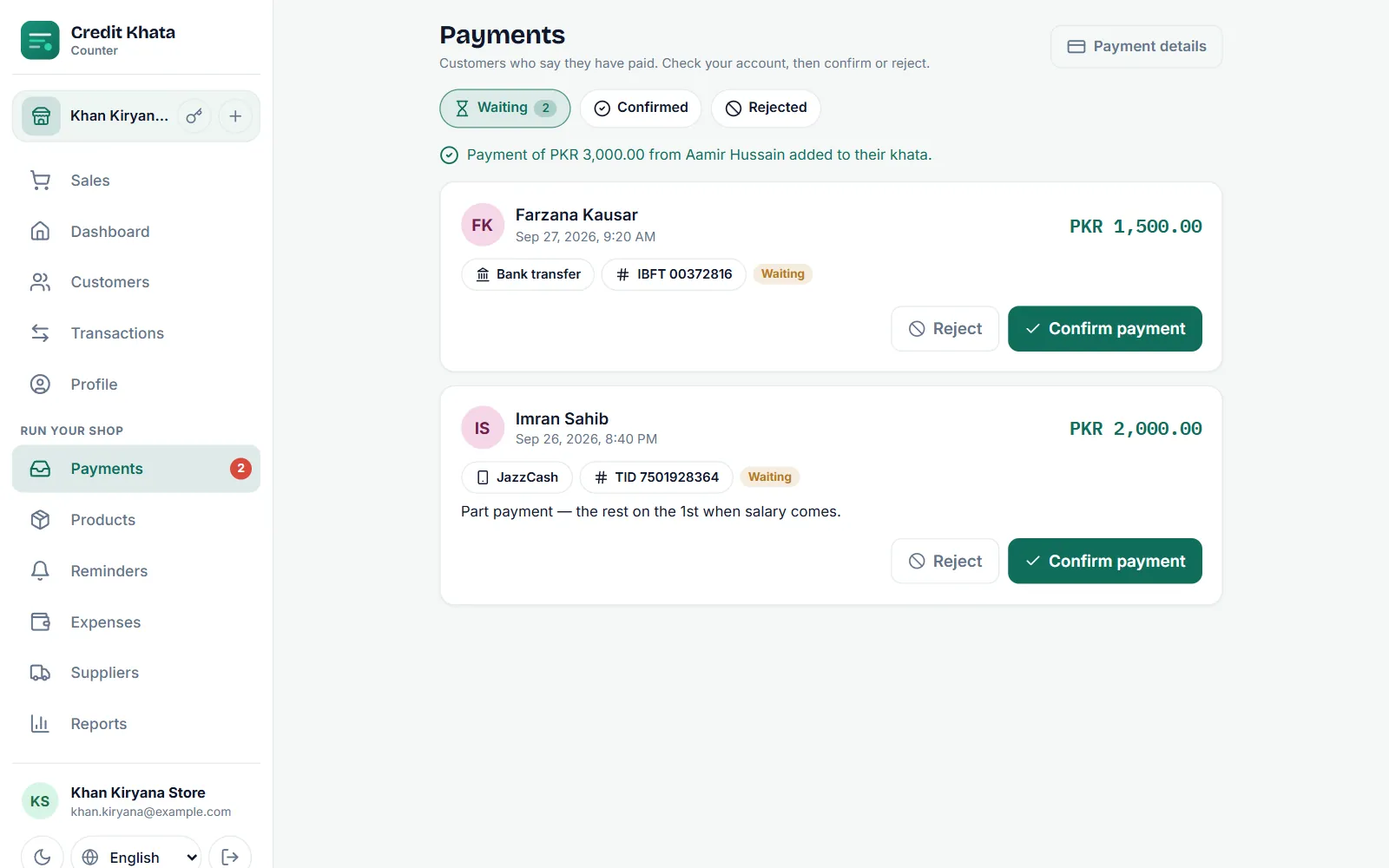
Message go confirm say di payment don enter di customer account. Di ledger line go read like "Payment via JazzCash" (meaning: payment through JazzCash) with di reference, di claim go move to Don confirm, and di customer go see am as confirmed for their My payments list.
Reject claim
If you no fit find di money, or di amount different:
- Tap Reject am for di claim.
- Pick reason, Money never land, Di amount no match or We don already write am, or write your own under "Why? Di customer go see dis."
- Tap Reject am again. You must give reason. Di claim go move to Dem reject am and dem go tell di customer why.
For part amount, good way na to reject with Di amount no match and ask di customer make dem send new claim for di amount wey really land, so di ledger go record wetin you really collect.
For di Android app
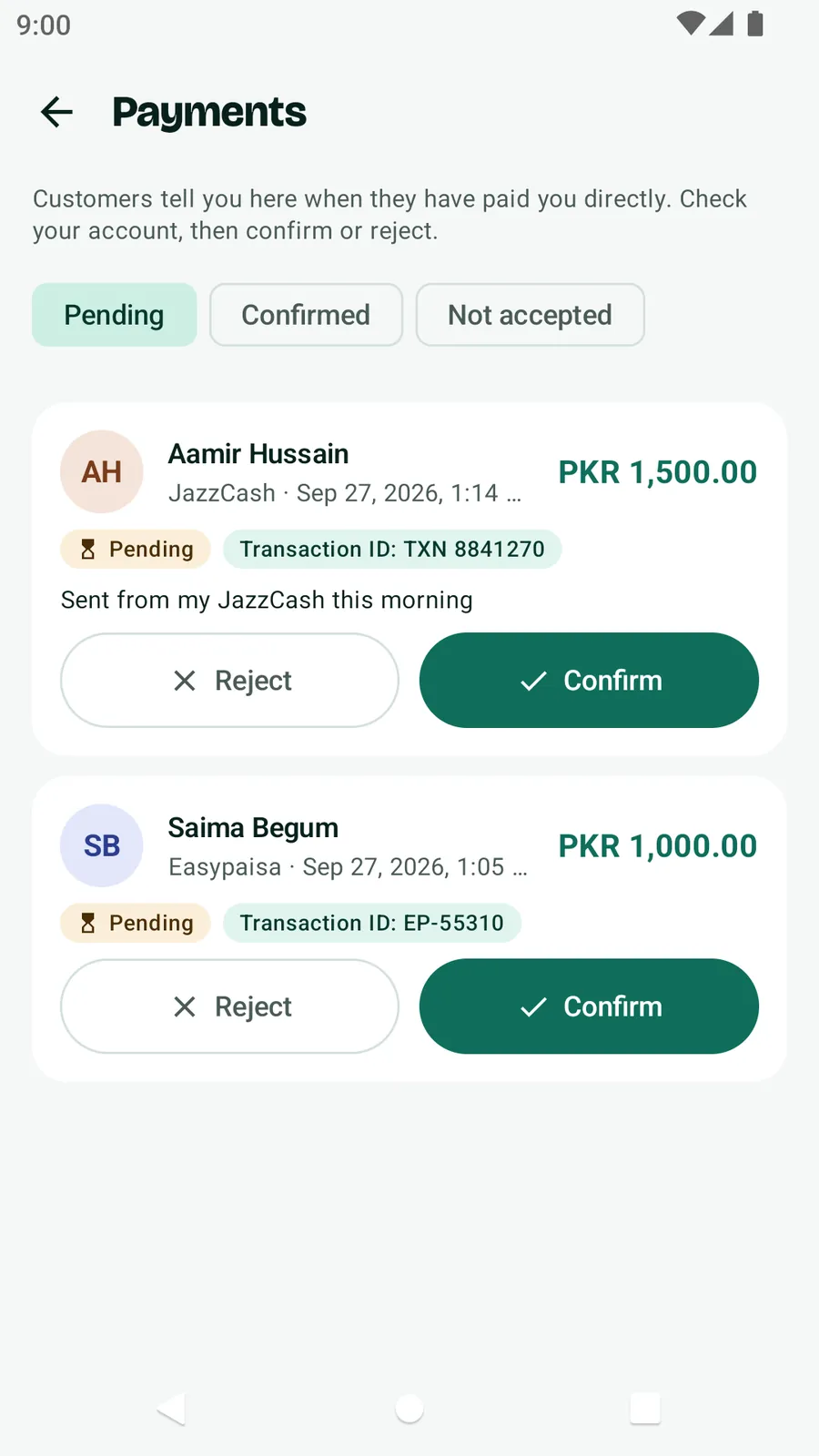
Open Payments from Home (di Payments to confirm chip, shortcut or All tools). Di tabs na E dey wait, Confirmed and Dem no accept am. Tap Confirm and accept di question ("… go enter their account as payment"), or tap Reject and give reason.
Wetin good to know
- Everybody for di counter, including cashiers, fit confirm and reject claims. To change di payment details themselves na for owners and managers.
- If two people tap Confirm di payment for di same claim di same time, na only one payment go write.
- Customer fit get up to 5 claims wey dey wait at one time, so e good make you clear busy inbox every day.
- Cash wey dem hand you for di counter no need claim; record am yourself as e dey for Record payment wey you collect from customer.
If customers no fit see where to pay you, add your accounts first: Add your JazzCash, Easypaisa or bank details so customers fit pay you. Di customer side of dis process dey for For customers: open your account, check entries and pay di shop.
Questions wey people dey ask
Di balance dey change di moment wey customer tap I don pay?
No. Claim na only wetin di customer talk. Their balance go change when person for di shop tap Confirm di payment, wey go write di payment for di ledger.
Cashier fit confirm payments?
Yes. Everybody wey dey work di counter, including cashiers, fit confirm or reject payment claims.
Wetin go happen if two people tap Confirm di same time?
Na only one payment go write. Second confirm for di same claim go return di payment wey don already dey.
Wetin di customer go see when I reject claim?
Di claim go show as Dem no accept am for their My payments list, with di reason wey you give, and customer wey on alerts go get notification.
This article help you?
You need help?
Send us wetin you dey see for screen — screenshot go help — and we go waka you through am.