
Help centre
How we fit help you?
One credit book wey your shop and your customers dey share. Pick topic for down or search: every guide dey show the real screens.
Try reminders, staff login or work offline. Press / to search from anywhere.
Check am by topic
16 guideAnswers wey people like
- Open your shop account, den add your first customerFor di counter app, tap Open shop and finish three short steps. Den go Kostoma dem → New kostoma, add name, phone and any old balance, and share their account.
- Add your JazzCash, Easypaisa or bank details so customers fit pay youGo Payments → Payment details, tap JazzCash, Easypaisa, Raast or Bank transfer, put di account name and number and Save. Customers go see dem when dem tap Pay.
- Book credit sale for di counterFor Sales, pick di customer under You dey book dis sale for, choose Credit, add each item with im quantity and amount, den tap Add am to credit. Di total go join their balance.
- Set credit limit and due date for customerOpen di customer, tap Limit, put Credit limit and pick Pay by date, den Save. Di counter go warn you before sale pass di limit; late accounts go show as Time don pass.
- Work offline and keep your ledger for syncSales wey you ring without internet go save for di device, show E dey wait, and upload by themselves in order, only once, when network come back. Check di sync pill.
- Reports: cash book, old debts, sales and profitOpen Reports for four views: Cash book (money wey enter and comot), Old debts (who don owe and for how long), Sales (credit and cash by day or month) and Profit (estimate after cost).
How to start
Set up your shop, add customers and write your first entry.
- Open your shop account, den add your first customerFor di counter app, tap Open shop and finish three short steps. Den go Kostoma dem → New kostoma, add name, phone and any old balance, and share their account.
- Book credit sale for di counterFor Sales, pick di customer under You dey book dis sale for, choose Credit, add each item with im quantity and amount, den tap Add am to credit. Di total go join their balance.
Customers & the ledger
Credit entries, balance, limits and wahala about entries.
- Set credit limit and due date for customerOpen di customer, tap Limit, put Credit limit and pick Pay by date, den Save. Di counter go warn you before sale pass di limit; late accounts go show as Time don pass.
- When customer argue entry: check, correct and settle amCustomers fit mark any entry E correct or Report problem. Entries wey dem query dey show for your dashboard; check di note, tap Settle am with reply, and correct di ledger if e need am.
Payments, due dates & reminders
Collect money by JazzCash, Easypaisa or bank, confirm payments and send reminders.
- Record payment wey you collect from customerOpen di customer, choose Don pay under Add transaction, put di amount and tap Add transaction. Their balance go reduce sharp sharp; part payment dey okay.
- Add your JazzCash, Easypaisa or bank details so customers fit pay youGo Payments → Payment details, tap JazzCash, Easypaisa, Raast or Bank transfer, put di account name and number and Save. Customers go see dem when dem tap Pay.
- Confirm payment wey customer talk say dem don makeWhen customer tap I don pay, di claim go wait for Payments. Check your wallet or bank, den tap Confirm di payment to add am to their account, or Reject am with reason.
- Send payment reminders for WhatsApp or SMSTap Remind for customer, or open Reminders → Time don pass and tap Remind everybody. Each reminder go open for your own WhatsApp or SMS app with di balance, due date and link to their account.
Shop, staff & products
Products and stock, staff accounts, expenses and suppliers.
- Add products, track stock and see wetin dey finishOpen Products → Add product, put name, price and stock, and set Warn me when stock reach. Sales from di list dey reduce stock; di Stock don low filter dey show wetin to buy again.
- Give your staff their own login: manager or cashierFor Pro, go Profile → Staff → Add staff, put name and username, choose Manager or Cashier, and save. Copy di password wey e show once, or show dem sign-in QR.
Reports & statements
Money wey people owe, old debts, sales and customer statements.
- Reports: cash book, old debts, sales and profitOpen Reports for four views: Cash book (money wey enter and comot), Old debts (who don owe and for how long), Sales (credit and cash by day or month) and Profit (estimate after cost).
- Print or share customer account statementOpen di customer, tap Statement, pick di period and tap Open statement. Den use Print / Save as PDF to print am or keep PDF wey you fit send for WhatsApp.
For customers
Check your account, pay the shop and question any entry from your own phone.
Account, sync & privacy
Work offline, sync, languages, your data and your account.
- Work offline and keep your ledger for syncSales wey you ring without internet go save for di device, show E dey wait, and upload by themselves in order, only once, when network come back. Check di sync pill.
- Change di app language (Pidgin, Urdu, Arabic, Hindi and more)Pick language from di globe menu for di sign-in screen, for di counter sidebar or for Profile → Language. Fourteen languages; Urdu, Arabic and Persian dey read from right to left.
- Download your data, secure your account or delete amExport customers as CSV or download everything as one file from Profile → Security and data. Turn on two-step login there too. Delete your account from Profile.
From the blog
All the posts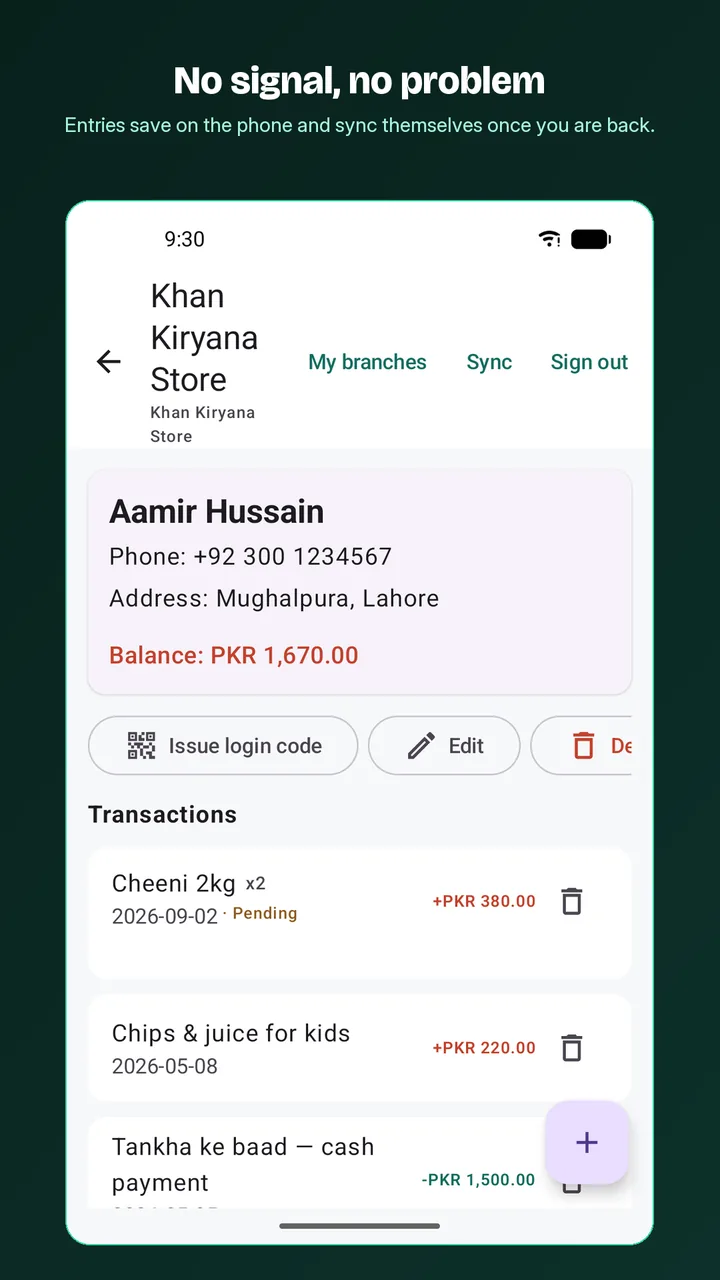
Why offline-first ledger matter for small shops
Offline-first ledger dey save each entry for di device first and upload am later, so di counter no dey ever wait for network, and careful sync dey make sure nothing lost or double.
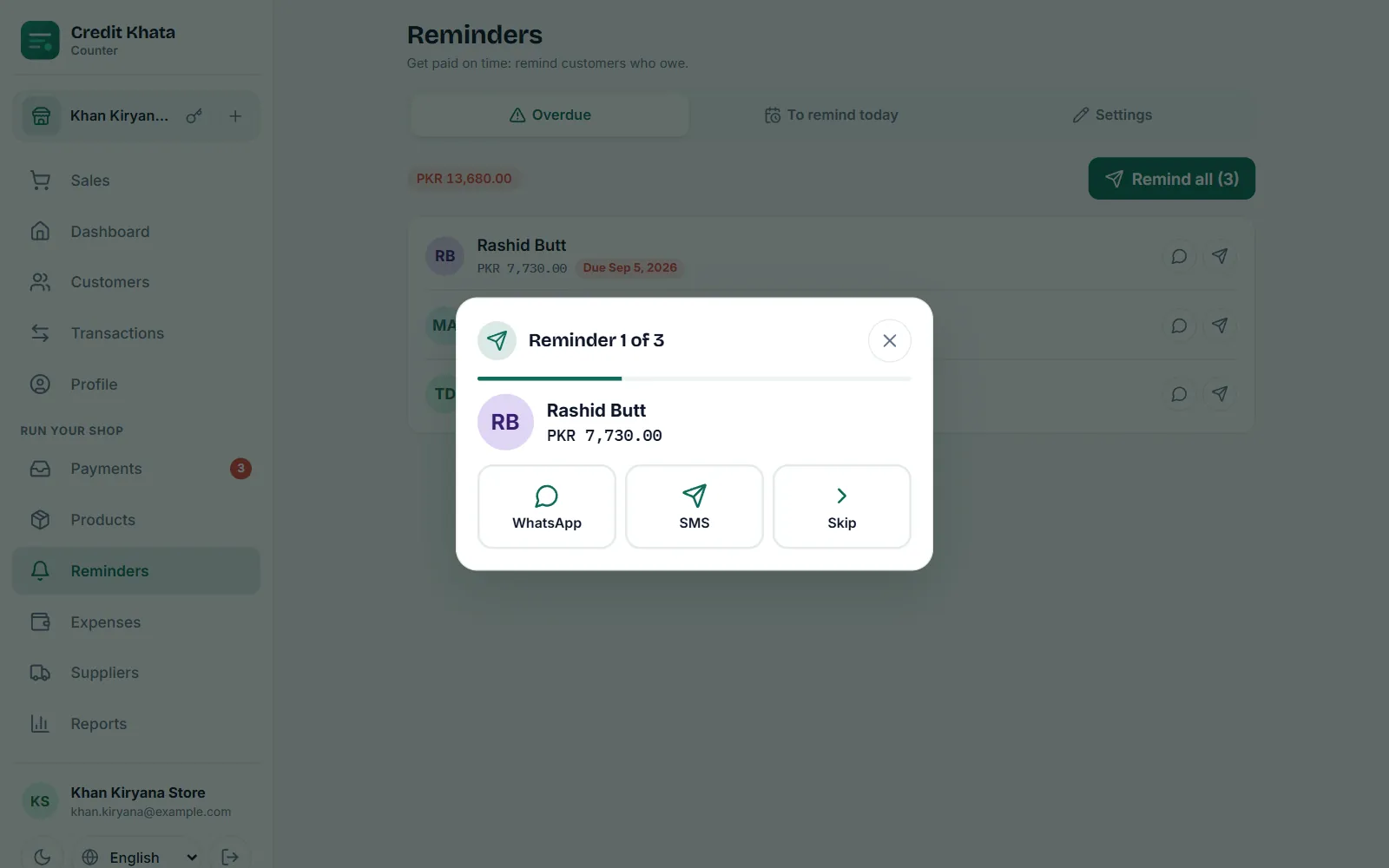
WhatsApp payment reminder templates for shops (for Pidgin)
WhatsApp payment reminders for shops, for Pidgin, wey you fit copy straight: before di due date, for di day, when time don pass, second reminder, plus thank-you and payment-plan messages.
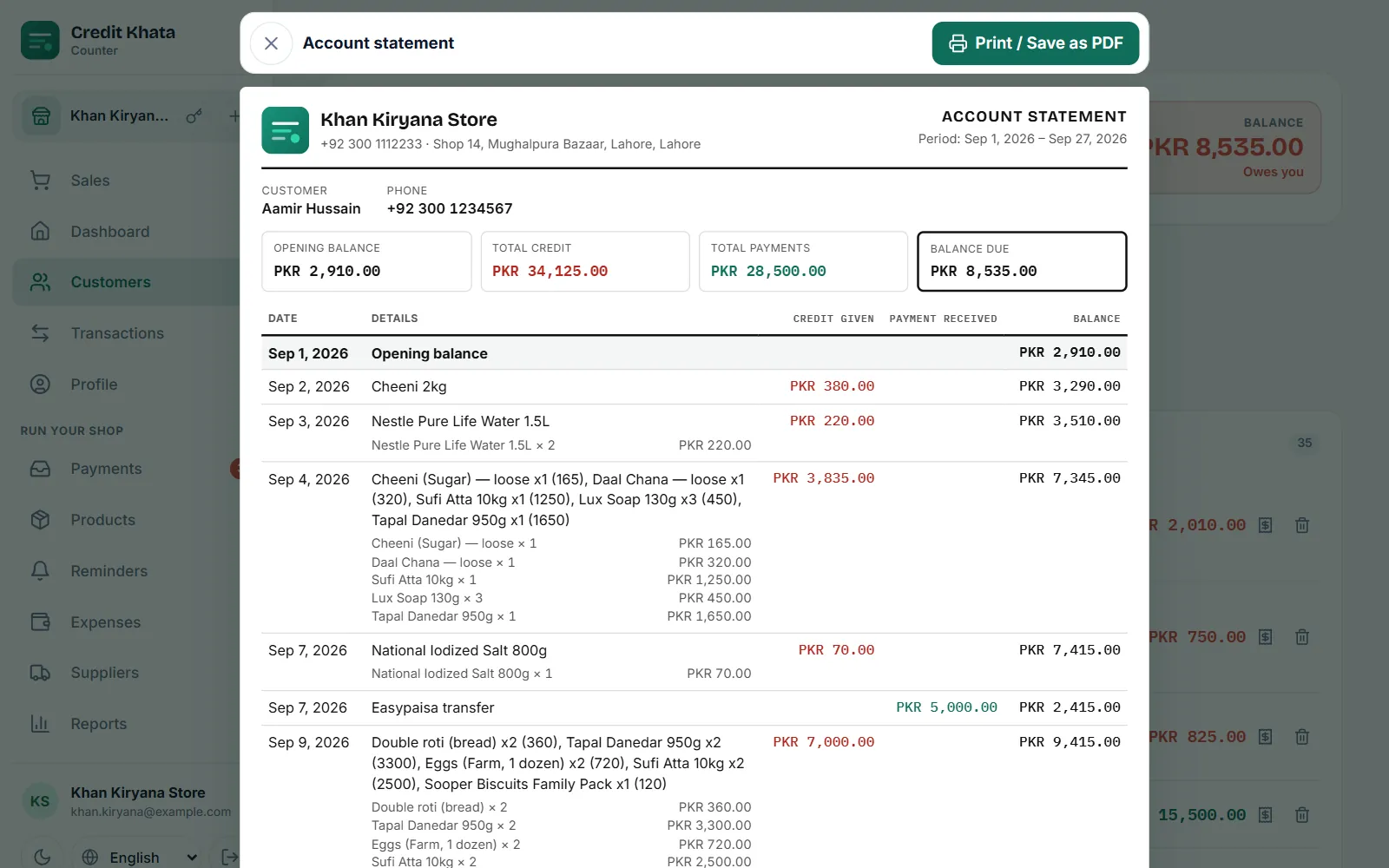
Wetin be credit book? Digital credit book vs paper register
Credit book na shop credit register: who carry goods for credit, and who don pay. Digital credit book dey keep di same record but e dey add totals, backup, reminders and customer view.
You still hook?
Write us — na real person dey read every message, mostly inside one working day.