
Add products, track stock and see wetin dey finish
For short
Open Products → Add product, put name, price and stock, and set Warn me when stock reach. Sales from di list dey reduce stock; di Stock don low filter dey show wetin to buy again.
For this page
Open Products and tap Add product. Give am Product name and Price, choose how We dey sell am by (pieces, kg, litres, dozen, or any word wey your shop dey use), add im Barcode if e get one, den put Stock wey dey now and Warn me when stock reach. From dat time, every sale of dat product for di counter go remove am from di count, and di Stock don low filter go list everything wey reach or dey under im warning level.
Products no dey compulsory. Di counter dey work with items wey you type too; di product list just dey make selling faster and dey count for you.
Add product
- Open Products from di Run your shop menu (for phone, from Home).
- Tap Add product.
- Put di Product name and Price, and choose di unit under We dey sell am by: tap suggestion like pcs, kg, L or dozen, or type your own word, for example "bag" or "mudu".
- Every other thing dey open from im own chip, so tap only wetin you need:
- Barcode: type am or tap Scan barcode to read am with di camera.
- Item code: your own short code for items wey no get barcode.
- Cost price: wetin you take buy am. Na im dem dey use for di profit estimate and na only di owner and managers dey see am.
- Category, like "Flour & Rice" or "Drinks". Categories go turn filter chips.
- To count stock, tap Stock and put Stock wey dey now (how many you get) and Warn me when stock reach (di level wey you go buy again).
- Leave For sale make e dey on, and tap Save.
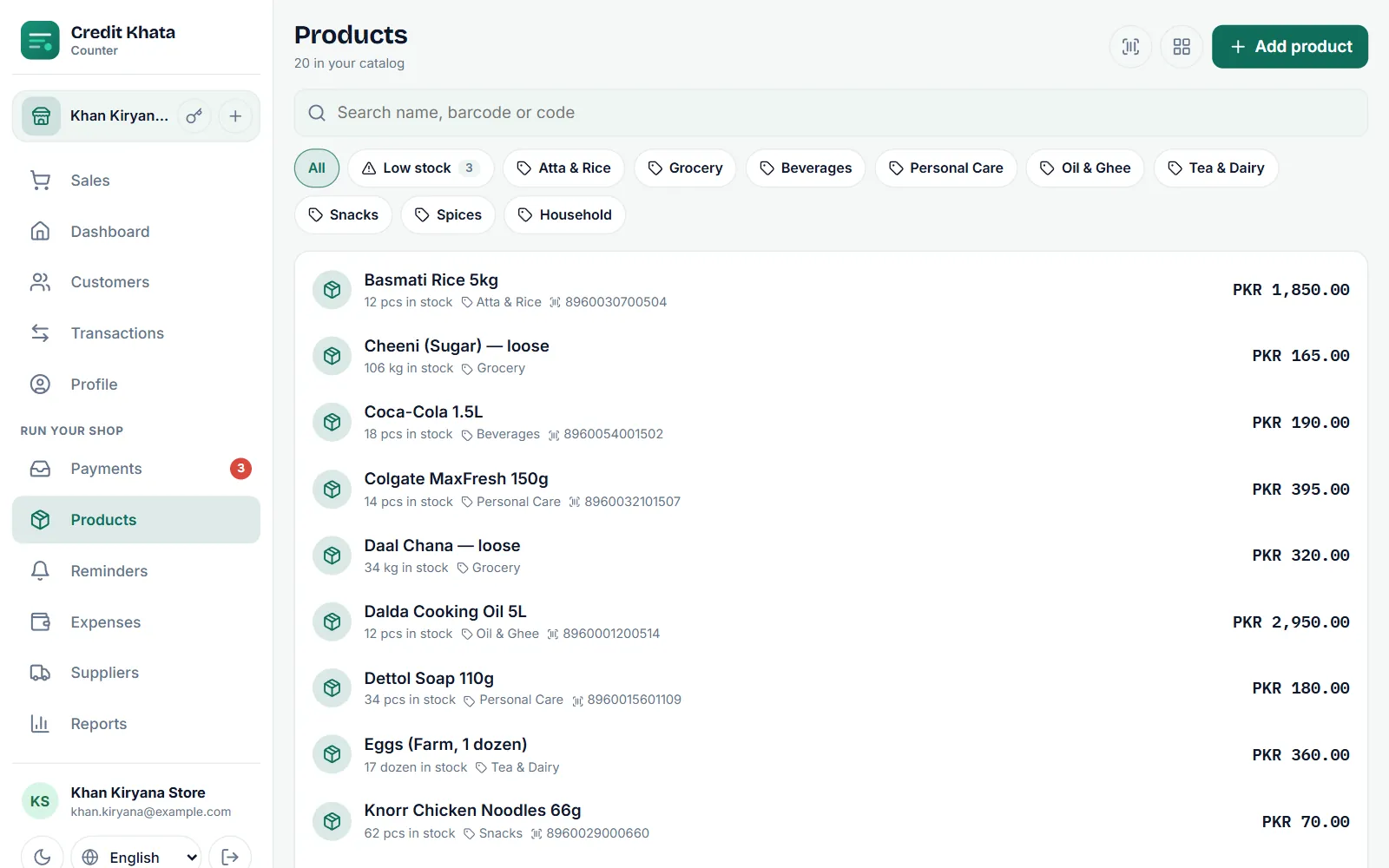
Sell from your product list
For di Sales screen, tap product chip, open All products, or tap Scan and point di camera for di barcode. Di product go drop inside di basket with im price; change di quantity with − and +. When you save di sale, cash or credit, di quantity go comot from di stock count. See Book credit sale for di counter.
If you scan code wey no dey your list, di counter go talk "E no dey your list" and owner or manager fit add am there and then.
See wetin dey finish
Tap di Stock don low chip for Products. Di number for di chip na how many products don reach or dey under their Warn me when stock reach level, and each one get mark Stock don low.
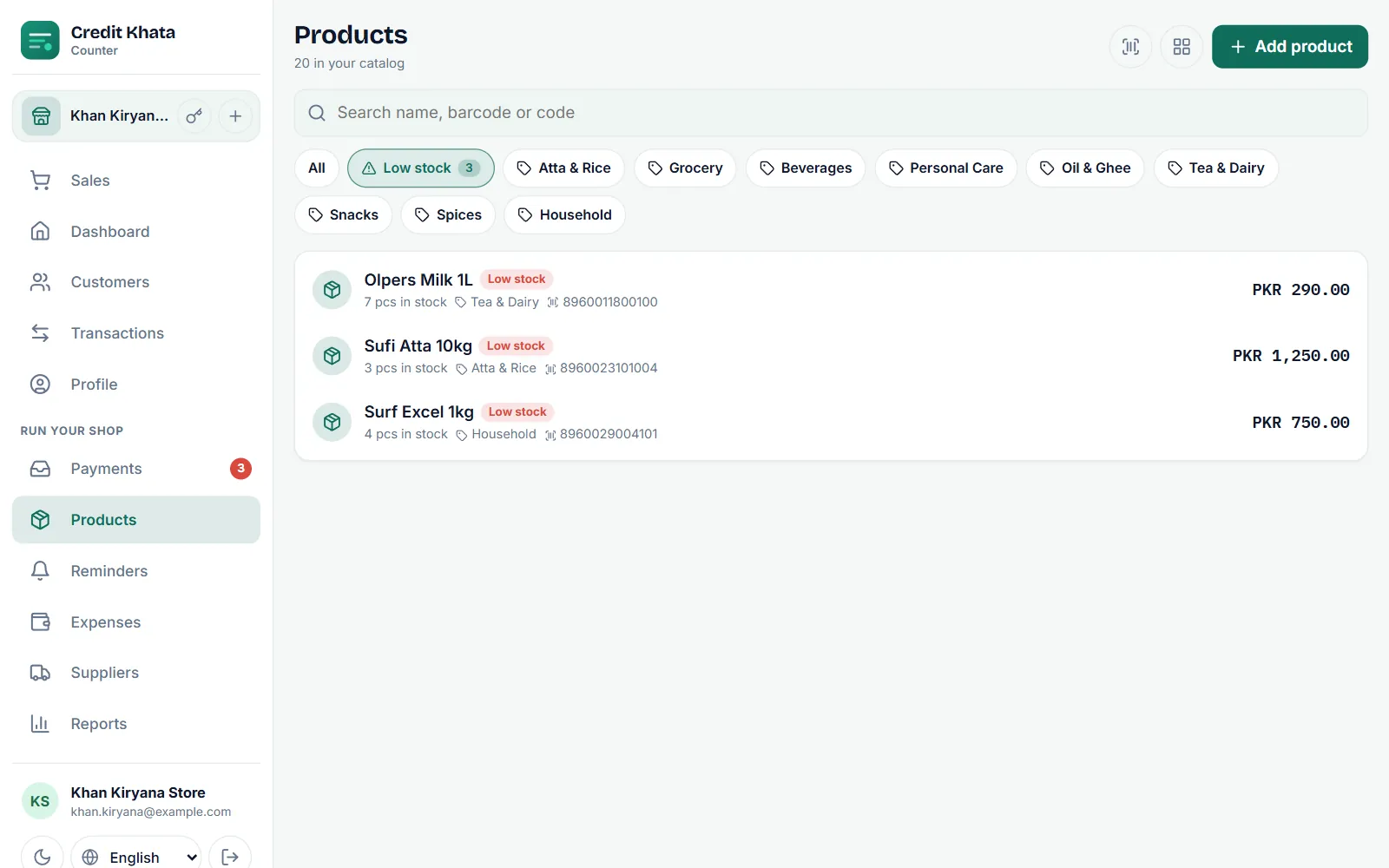
Check dis list before you go meet your supplier. If you buy stock for credit, you fit record am for Suppliers so you go know wetin you owe dem too.
Bring new stock or correct di count
Tap product to open am:
- New stock dey ask "How many come in?". Put di new quantity and Note (optional) if you want, like di supplier bill number.
- Correct stock dey take Change (+ or −). Use minus for wetin break or lost and plus for items wey you find when you dey count.
- Stock history dey list every movement: Sold, New stock, Corrected and Returned, so you fit see where di count come from.
Edit dey change di price, barcode or any other thing; Delete dey remove di product from your list, and old sales go keep their items.
Di product form also get options for shops wey need dem: Track expiry date (every new stock na batch with im own expiry date, and sales go first take from di batch wey go expire first) and Count by serial / IMEI number for phones and electronics.
For phone
Di counter app for phone get di same Products screen, with di barcode scanner and view buttons for top.
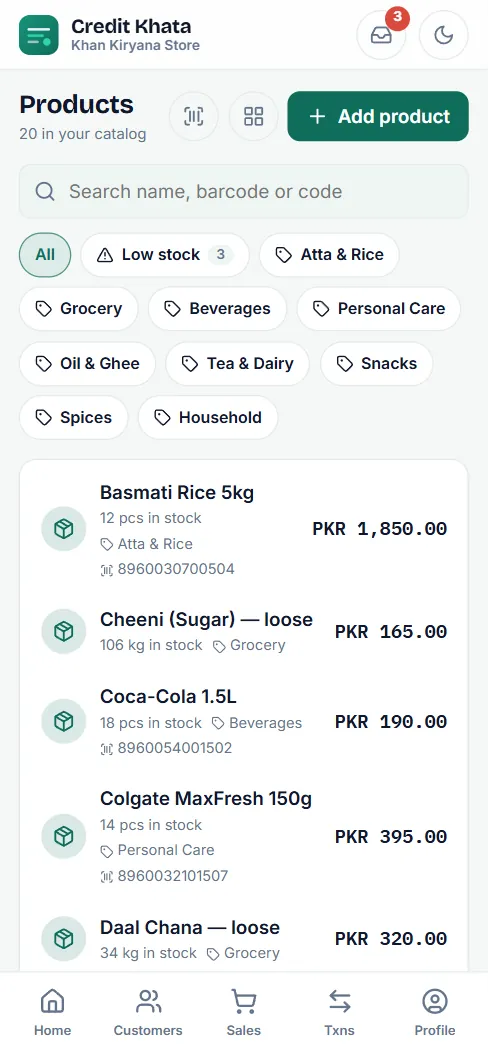
For di Android app, open Products from Home (for your shortcuts or under All tools). There you fit add products, on Track stock, set Tell me stock don low at level and record New stock don come.
Who fit do wetin
| Action | Owner | Manager | Cashier |
|---|---|---|---|
| See products and sell dem | Yes | Yes | Yes |
| Add, edit or delete products | Yes | Yes | No |
| Bring new stock or correct stock | Yes | Yes | No |
| See cost prices | Yes | Yes | No |
To see di items wey sell pass and estimate of profit, open Reports: Reports: cash book, old debts, sales and profit. To give staff their own logins, see Give staff their own logins: manager or cashier.
Questions wey people dey ask
I must add products before I fit use Credit Khata?
No. You fit type any item and amount for di counter. Products just dey make selling faster and dey make di app count your stock.
Stock dey reduce when I sell for credit?
Yes. Any sale of product from your list, cash or credit, dey remove dat quantity from im stock count.
I fit scan barcodes?
Yes. Use Scan for di Sales screen or Scan barcode for Products to read barcode with di camera. You fit also type or paste barcode inside di product search.
Cashiers fit add products or change stock?
No. Cashiers fit see products and sell dem. To add, edit, bring new stock and correct stock na for di owner and managers.
Why I need cost price?
E no dey compulsory. With cost prices, di Profit report fit estimate wetin you make. Na only di owner and managers dey see cost prices.
This article help you?
You need help?
Send us wetin you dey see for screen — screenshot go help — and we go waka you through am.