
Work offline and keep your ledger for sync
For short
Sales wey you ring without internet go save for di device, show E dey wait, and upload by themselves in order, only once, when network come back. Check di sync pill.
For this page
Credit Khata dey built for counters wey network no dey steady. When internet cut, sale wey you ring go save for di device, e go show E dey wait, and e go stay for queue. As network come back, di queue go upload by imself in order, and each sale go post only once, so retry no fit ever charge customer two times. Di sync pill for di Sales screen dey tell you where things dey, from Everything don sync to how many dey wait.
Wetin dey work offline
| Counter app (browser) | Android app | |
|---|---|---|
| Ring cash and credit sales | Yes, for di Sales screen | Yes |
| Record payments (Don pay) | E need network | Yes |
| Add new customer | E need network | Yes |
| See customers and balances | Yes, from di last copy wey e save | Yes, from di phone |
| Payments inbox, reminders, reports, statements | E need network | E need network |
Di counter app go open without internet once you don use am online for dat device, because e dey keep im screens, your language and your customer list. E go talk "You dey work from di local cache" when e dey offline.
Read di sync pill
For di top right of di Sales screen, pill dey show di queue:
- Everything don sync: everything don reach di server.
- Offline · 2 dey wait: no network; two sales dey wait for dis device.
- 2 remain to sync or E dey sync 2…: network don come back and di queue dey upload.
- No save: 1: di server refuse one sale; see below.
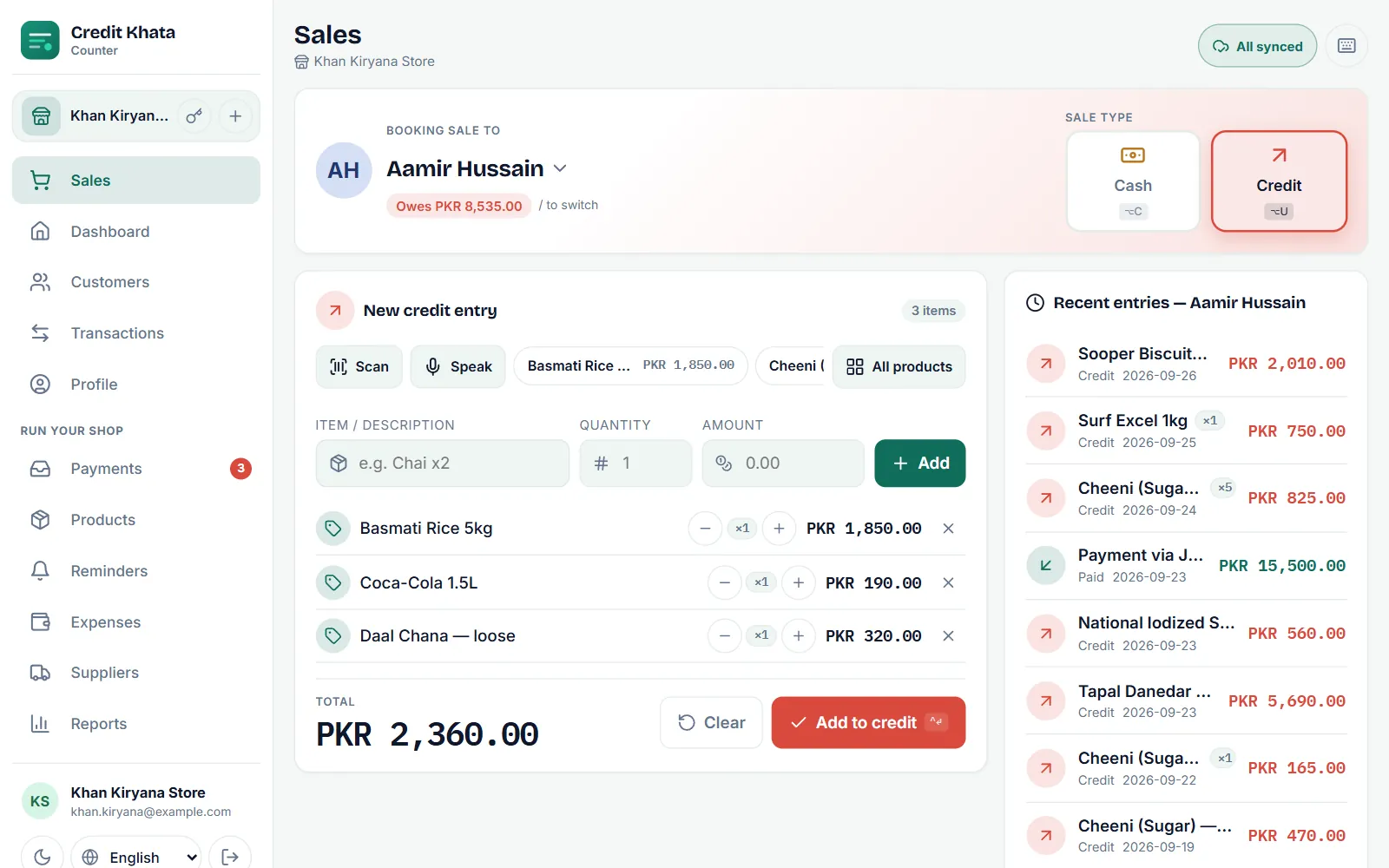
Tap di pill to open Sales wey never sync, wey dey list wetin Dey wait to sync. Sales wey still dey di queue go also show E dey wait and "E go sync wen network return" for di customer recent entries.
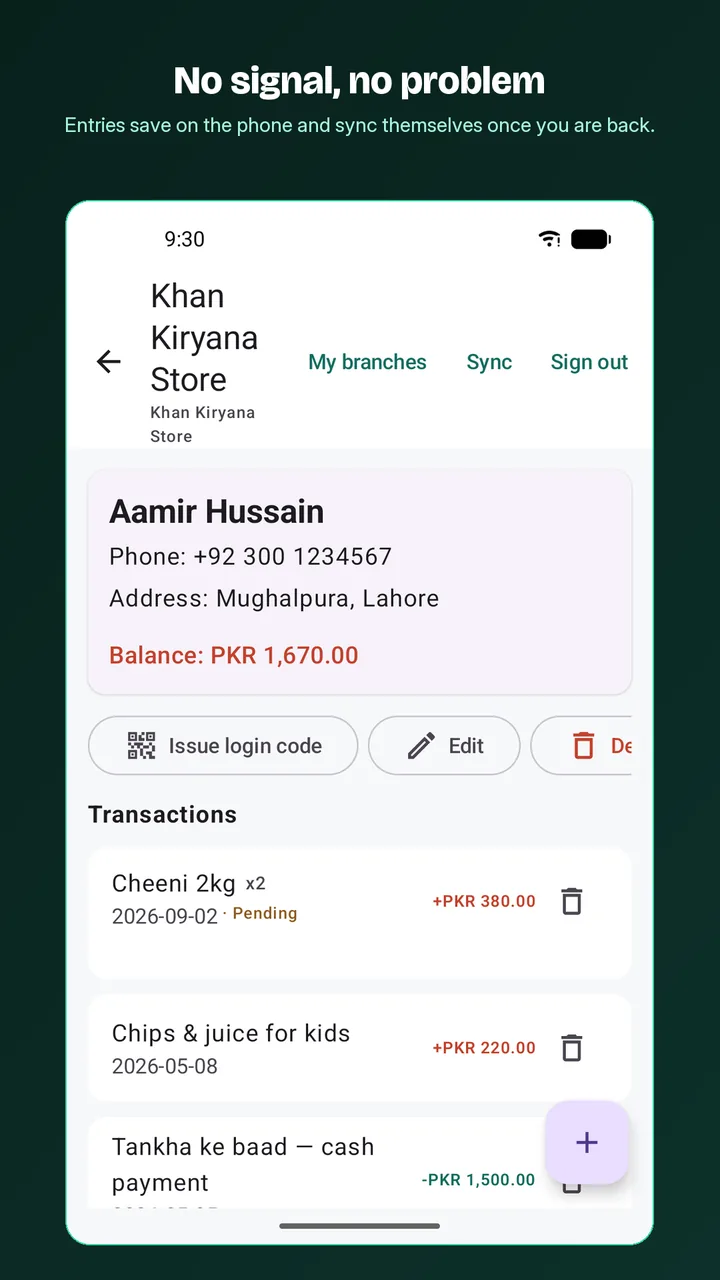
For di Android app, entries wey you save without network dey show E dey wait for di customer page, and di refresh button for top dey sync anytime you want.
When sale no fit save
Sometimes di server go refuse sale wey dey queue, for example because dem don delete di customer since, credit sale go now carry dem pass their limit, or di sale need Pro feature wey di shop no get again. Dem no go throw di sale away. Red bar go talk say sale "no save. Check am before e lost", and di pill go show No save.
- Tap Check am for di bar (or tap di pill).
- Under E no fit save, read di reason for each sale.
- Fix di cause if you fit, den tap Try all again, or tap Throw am away for sale wey you no want record.
Di Android app dey list dem under E need attention: "Di server no gree accept dem. Nothing loss: fix, try again or throw each one away."
Offline and di daily transaction limit
For di Free and Pro plans, di business fit record fixed number of transactions every day. Offline, di apps dey count from wetin dem last know: once di day limit don finish, dem go stop to take new sales until di count start again for midnight for your shop time zone. Dem no dey ever refuse customer payment because of di limit. Sales wey you save before di limit reach go still sync when network come back, even if dem reach after am.
Before you sign out or change branch
If another person sign in for di same terminal while your sales still dey queue, dem go warn am too, because those sales na your account own.
Tips for counter wey you fit trust
- Open di counter app once every day when you dey online, so im copy of your customers go dey fresh.
- Install am for di counter computer or phone. Most browsers dey offer "Install app" or "Add to Home screen" for di counter app, and e go den open like any other app.
- Add new customers when network dey, or use di Android app, wey fit add dem offline.
- To know why dis one important, read Why offline-first ledger matter for small shops.
Related: Book credit sale for di counter and Record payment wey you collect from customer.
Questions wey people dey ask
Sale fit record two times if network dey do anyhow?
No. Every sale wey dey line get im own special key, so retry, double tap or network wey cut no fit post di same sale two times.
Wetin I suppose do before I sign out?
Wait for Everything don sync. If you sign out of di counter app with sales wey never sync, dem go waste, and di app go warn you before e happen.
Wetin dey work offline for di counter app?
Di Sales screen, with di customer list wey e don save. To add customers, entries for customer page, payment claims, reminders and reports need network.
Di Android app dey work offline?
Yes. New customers and all entries, credit, paid and cash, dey save for di phone first and dem go sync for background when network dey.
This article help you?
You need help?
Send us wetin you dey see for screen — screenshot go help — and we go waka you through am.