
Add your JazzCash, Easypaisa or bank details so customers fit pay you
For short
Go Payments → Payment details, tap JazzCash, Easypaisa, Raast or Bank transfer, put di account name and number and Save. Customers go see dem when dem tap Pay.
For this page
To make customers fit pay you from their credit account, open Payments and tap Payment details (or go Profile → Payment details). Tap di way wey you want make dem pay you, like JazzCash, Easypaisa, Raast or Bank transfer, put di Account owner name and di number, and tap Save. From dat time, every customer wey tap Pay for their account go see your details with Copy button, pay for their own app, and tap I don pay to tell you.
Di money dey enter your account straight. Credit Khata no dey ever process payment or hold money, so no fee dey.
Add payment method
- For di counter app, open Payments and tap Payment details for di top right. You fit also reach am from Profile → Payment details ("Accounts wey customers dey pay enter").
- Under Add way wey dem go take pay you, tap one of di tiles. Di list dey follow your shop country; for Pakistan e dey show JazzCash, Easypaisa, Raast, SadaPay and NayaPay, den Bank transfer and Other.
- Put di Account owner name exactly as e dey for di wallet or bank, so customers fit check say na di correct person dem dey pay.
- Put di number:
- For JazzCash, Easypaisa, SadaPay and NayaPay, di Phone number of di account, for example 0300 1234567.
- For Raast, your Raast phone number or your IBAN.
- For Bank transfer for Pakistan, your 24-character IBAN wey start with PK, and di Bank name.
- If you want, tap Label (for example "Shop account") or Instructions for customers (for example "Send di TID from your SMS").
- Tap Save. If di number no match di normal format, di app go talk "E no look correct" and show example.
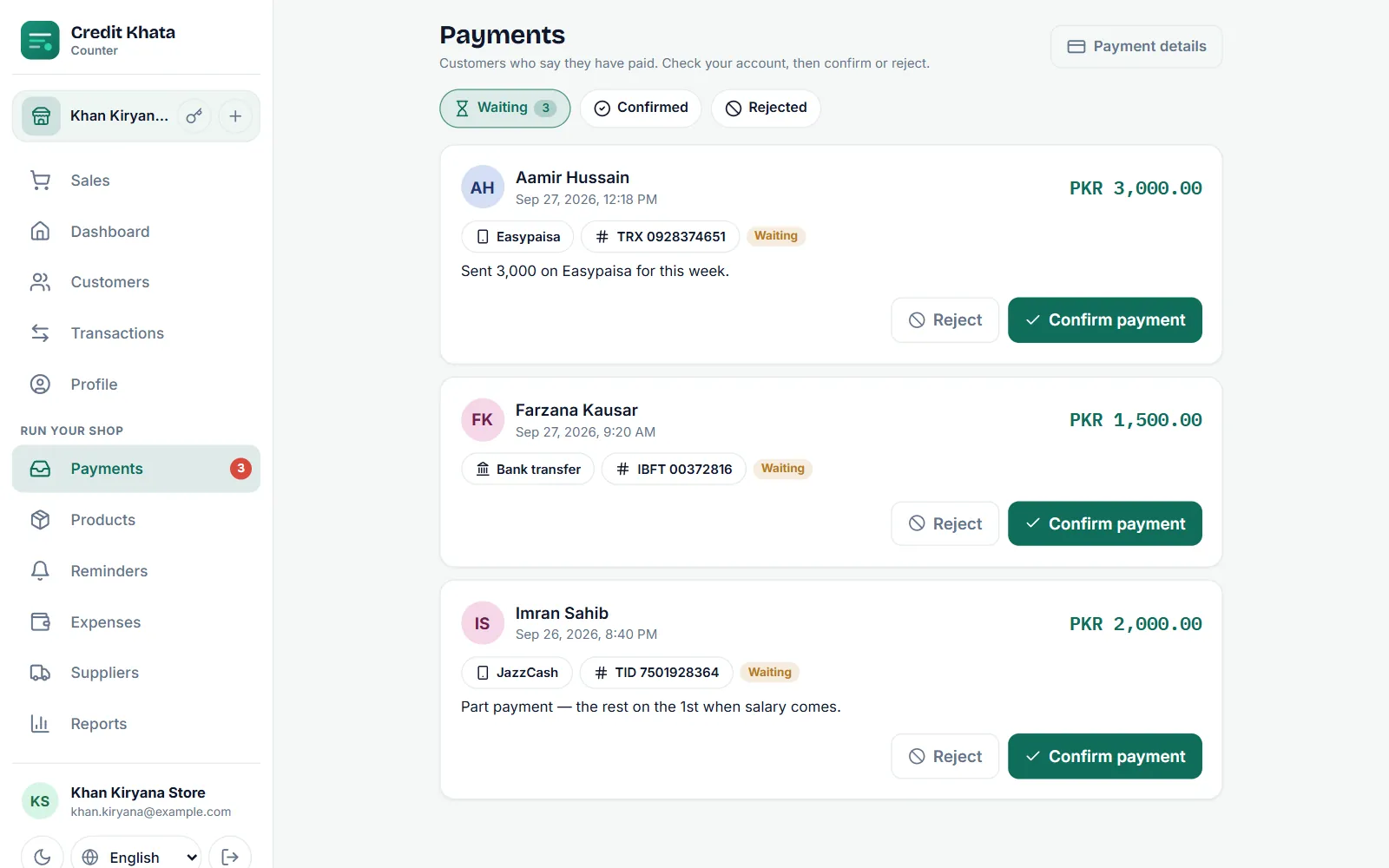
Add QR code, hide or remove account
Open payment method wey you don save again to:
- Upload QR: add di QR code from your wallet or bank app (PNG, JPEG or WebP under 2 MB). Customers fit open am full size and scan am.
- Show am to customers: off am to hide di account without to delete am. E go show as E hide for your list.
- Delete: remove am forever. Customers no go see am again.
Each branch dey keep im own payment details, so second shop fit collect money for different account.
Wetin your customers dey see
When customer tap Pay for their account, sheet wey get title "Pay" and your shop name go list every method wey dey show with di Account name, di Account number and Copy button, plus your QR code if you add one. E dey open with "Send di money to one of dis ones, then tell di shop say you don pay."
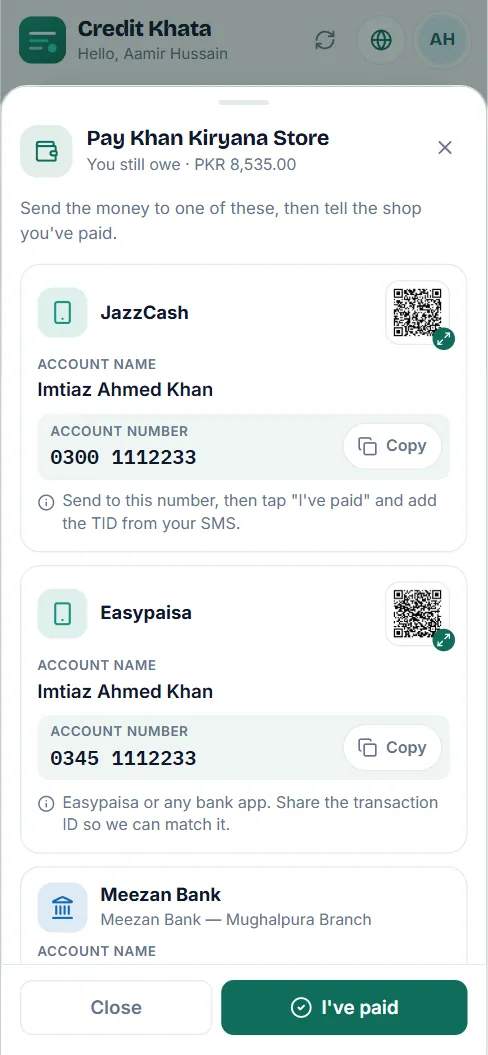
After dem pay for their own app, di customer go tap I don pay and fill di amount, how dem pay, and if dem want, di transaction ID and screenshot. Dat claim go land for your Payments inbox; nothing go change for di ledger until you confirm am. See Confirm payment wey customer talk say dem don make.
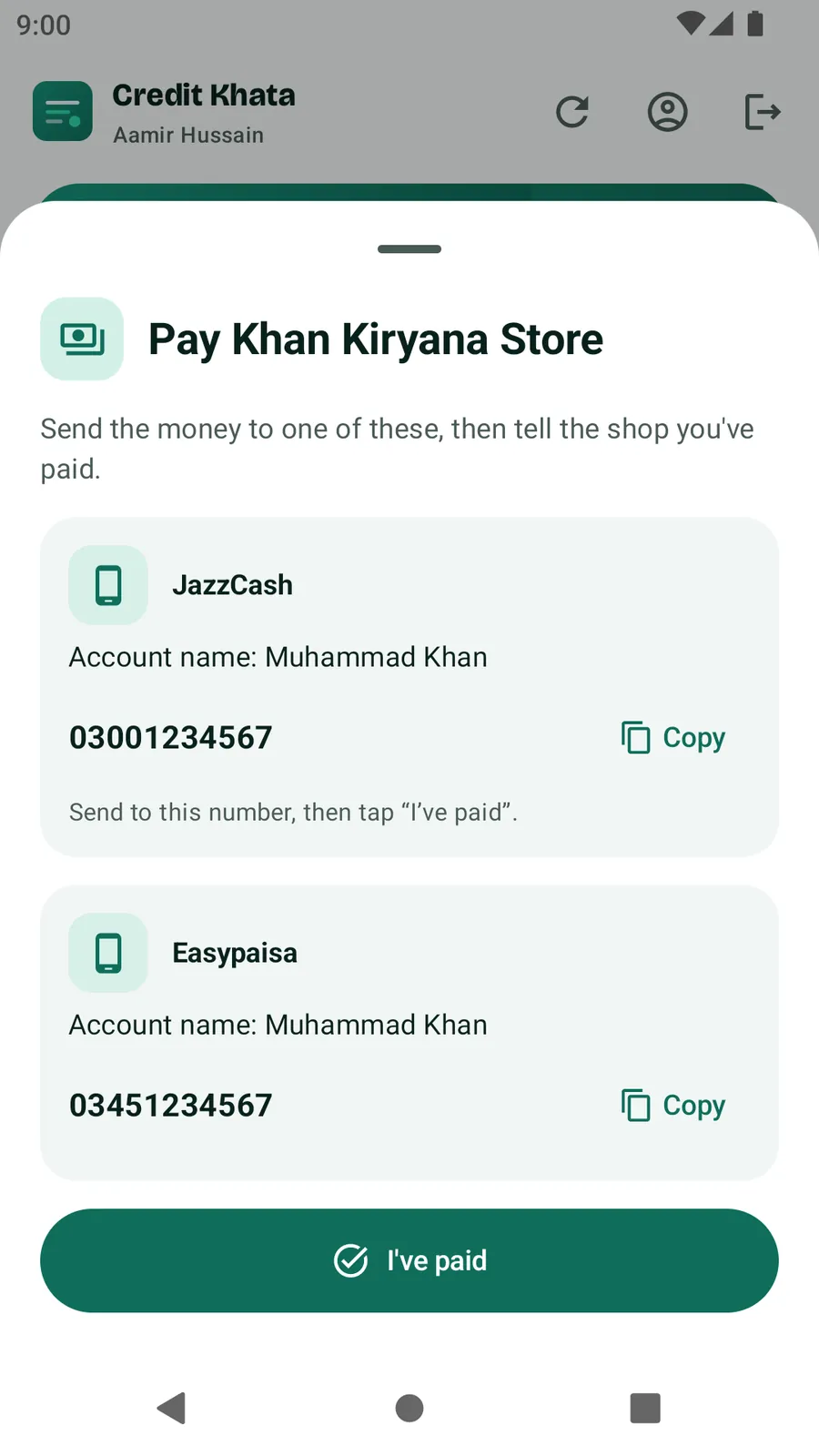
For di Android app
Go Profile → Payment details ("Wallet, bank account, QR code") and tap Add way to pay. Owners and managers fit add, hide or delete methods and add QR code from di phone.
Tips
- Add di accounts wey you dey really check every day. Customer wey pay enter wallet wey you no dey open often go wait long for their confirmation.
- Put your payment details for reminders too: your own reminder message fit talk "JazzCash: 0300 …". See Send payment reminders for WhatsApp or SMS.
- For longer guide on how to collect wallet payments for small shop, read Collect JazzCash, Easypaisa and Raast payments for small shop.
Questions wey people dey ask
Credit Khata dey collect fee on payments?
No. Customers dey pay you direct for their own wallet or bank app. Nothing dey pass through Credit Khata, so no cut and no payment fee.
Which payment methods I fit add for Pakistan?
JazzCash, Easypaisa, Raast, SadaPay and NayaPay, plus Bank transfer (with your IBAN) and Other for any other thing.
I fit add QR code?
Yes. Save di payment method first, open am again and tap Upload QR. Di picture must dey under 2 MB.
I fit hide account without to delete am?
Yes. Open am and off Show am to customers. E go remain for your list with mark E hide until you on am back.
Who fit change di payment details?
Di owner and branch managers. Cashiers no fit, but dem fit confirm payments wey come in.
This article help you?
You need help?
Send us wetin you dey see for screen — screenshot go help — and we go waka you through am.