
Send payment reminders on WhatsApp or SMS
In short
Tap Remind on a customer, or open Reminders → Overdue and tap Remind all. Each reminder opens in your own WhatsApp or SMS app with the balance, due date and a khata link.
On this page
To remind one customer, open their page and tap Remind, then WhatsApp or SMS. To remind everyone who is late, open Reminders, stay on Overdue and tap Remind all. Each reminder opens in your own WhatsApp or SMS app with the message already written: the customer's balance, the due date if there is one, and a link to their khata. You just press send.
Reminders go from your phone, in your name, at no charge from Credit Khata.
Remind one customer
- Open Customers and tap the customer.
- Tap Remind. The sheet says how much they owe and that the message opens in your own app.
- Tap WhatsApp or SMS. Your WhatsApp or SMS app opens with the message filled in.
- Check the text and press send there.
The sheet also shows the message itself, with a Copy button for when there is no phone number saved, and a Reminders sent list of earlier reminders with the date and who sent them.
Remind everyone who is overdue
- Open Reminders (under Run your shop, or from Home on a phone). The screen says "Get paid on time: remind customers who owe."
- The Overdue tab lists customers whose Pay by date has passed and who still owe money, with the total at the top and each person's due date.
- Tap the WhatsApp or SMS button on one row, or tap Remind all to go through them in order.
- For each "Reminder 1 of 3", tap WhatsApp, SMS or Skip. Send it, come back to Credit Khata, and the next one is ready.
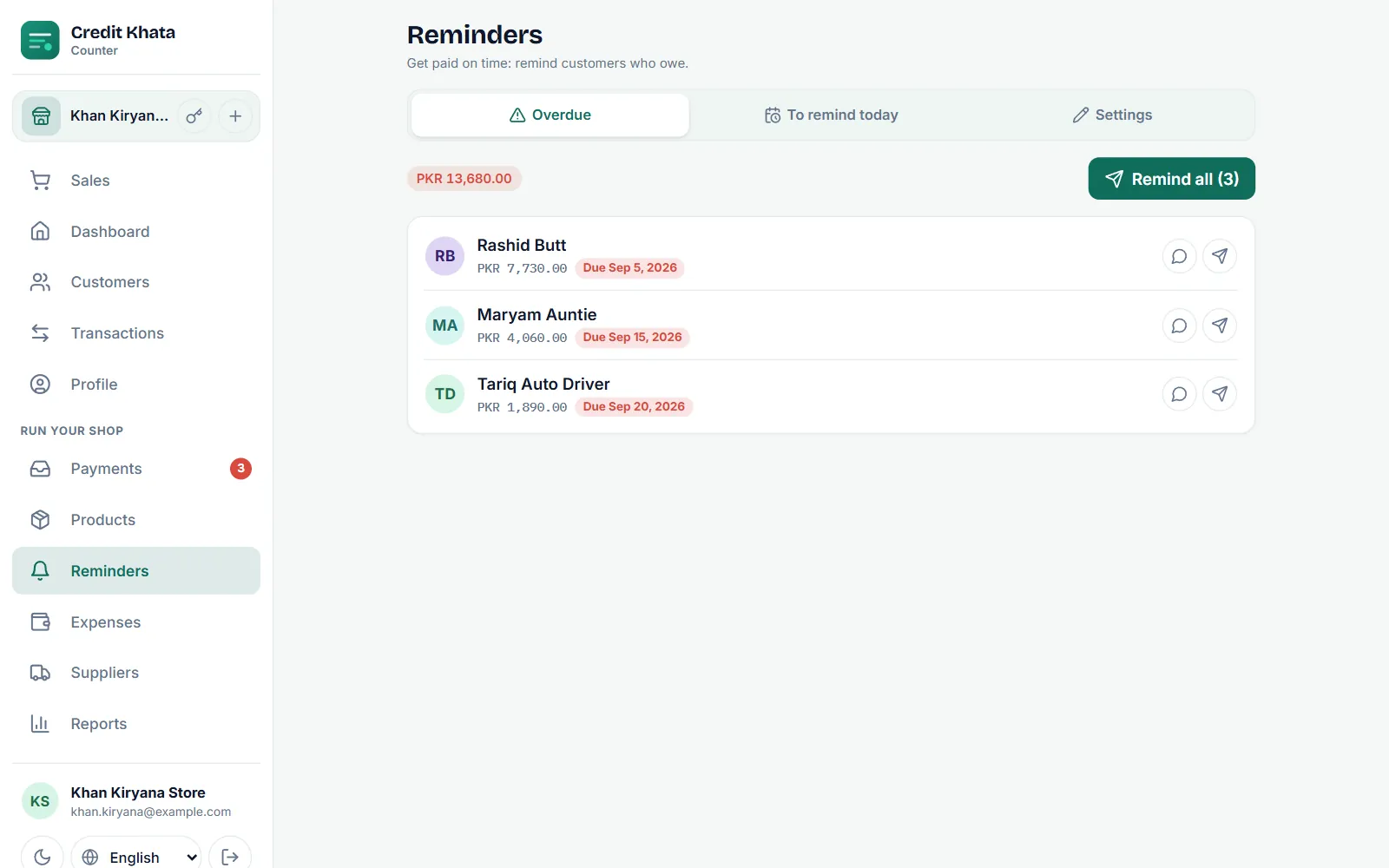
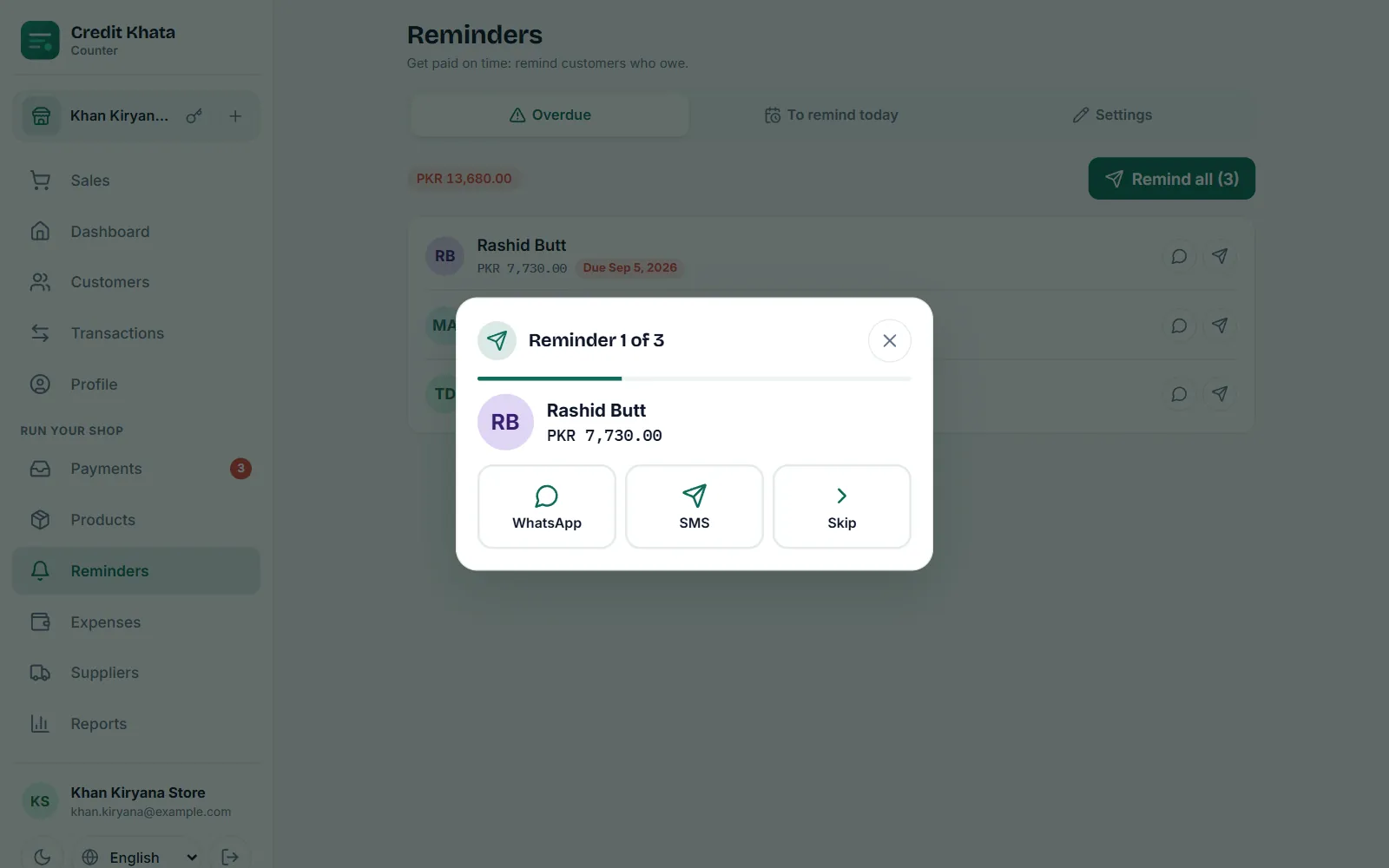
Customers only appear under Overdue if they have a due date. To set one, see Set a credit limit and a due date for a customer.
To remind today
The To remind today tab is a wider list: customers who owe at least your minimum amount, have a phone number, and have not had a reminder recently (within a week, or a month if you choose monthly reminders). It suits customers without a fixed due date.
Write your own reminder message
Owners and managers can change the wording under Reminders → Settings:
- In Message, write the text you want. Tap {name}, {shop}, {balance}, {due_date} or {link} to insert them; they are filled in for each customer.
- Check it under Preview.
- Set Only remind when they owe at least so small balances are left alone.
- Tap Save.
If you leave Message empty, the standard English wording is used: "{shop}: Dear {name}, your balance is {balance}. Please pay when you can. Your khata: {link}". When the customer has a due date, it reads "your balance of {balance} is due on {due_date}" instead. Writing your own message is how you send reminders in Urdu, Roman Urdu or any other language, and how you add your JazzCash number. Messages can be up to 480 characters. For ready-made wording, see WhatsApp payment reminder templates for shops.
In the Android app
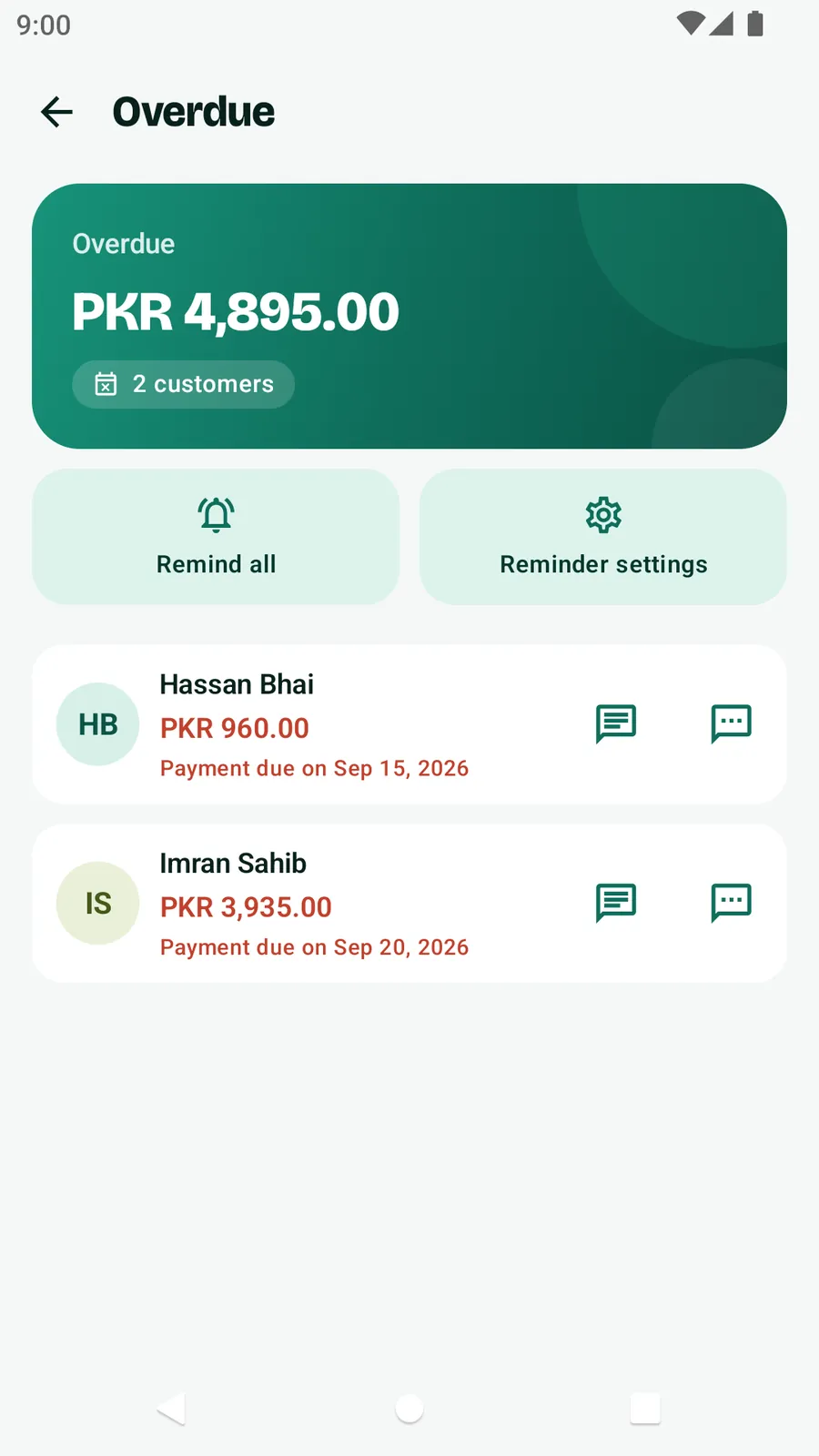
Open Home → Your business → Overdue for the late list, with Remind all and Reminder settings. On a customer's page, tap Remind. As on the web, each reminder opens WhatsApp or your messages app and you press send.
Who can do what
Everyone at the counter, including cashiers, can send reminders. Changing Settings is for the owner and managers.
Tips for reminders that get paid
- Save WhatsApp numbers with the country code (+92 …). Without it, WhatsApp opens its contact picker instead of the customer's chat.
- Remind soon after the due date, politely, and with the exact amount. The link lets the customer check the entries themselves.
- More on collecting without losing customers: How to reduce bad debts and recover shop credit politely.
Frequently asked questions
Does sending a reminder cost anything?
Reminders you send by tapping WhatsApp or SMS go from your own phone through your own apps, so they cost whatever your own WhatsApp or SMS normally costs. Credit Khata does not charge for them.
Can I write the reminder in Urdu or Roman Urdu?
Yes. Owners and managers can write their own wording under Reminders → Settings → Message, in any language, using {name}, {shop}, {balance}, {due_date} and {link}. Left empty, the standard English message is used.
Why does WhatsApp ask me to pick a contact?
The customer's number was saved without a country code. Save it as +92 300 1234567 (or your country's code) and the chat opens directly.
What is the link in the reminder?
A one-time link to the customer's own khata. It works once and expires after 24 hours, so they can check the balance and pay from their phone.
Can reminders go out automatically?
No. Every reminder goes from your own phone, in your name: Remind all lines them up so you only press send on each one.
Was this article helpful?
Need a hand?
Send us what you see on screen — a screenshot helps — and we will walk you through it.