
Set a credit limit and a due date for a customer
In short
Open the customer, tap Limits, enter a Credit limit and pick a Pay by date, then Save. The counter warns before a sale goes past the limit; late accounts show as Overdue.
On this page
To set a limit, open the customer's page, tap Limits, type the most they may owe in Credit limit, choose a Pay by date and tap Save. From then on the counter warns before a credit sale takes them past the limit, and once the date passes with money still owed, the customer is marked Overdue and appears in your reminder list.
Both settings are optional and per customer: a regular with a salary cycle can have a month-end date and a generous limit, while a new customer starts small.
Set the limit and the due date
- Open Customers and tap the customer.
- Tap Limits in the row of buttons at the top. The sheet Credit limit and due date opens.
- In Credit limit, enter the most this customer may owe. Leave it empty for no limit.
- Under Pay by, tap In 7 days, In 15 days, In 30 days or End of month, or pick an exact date. Tap Clear to remove a date.
- Tap Save.
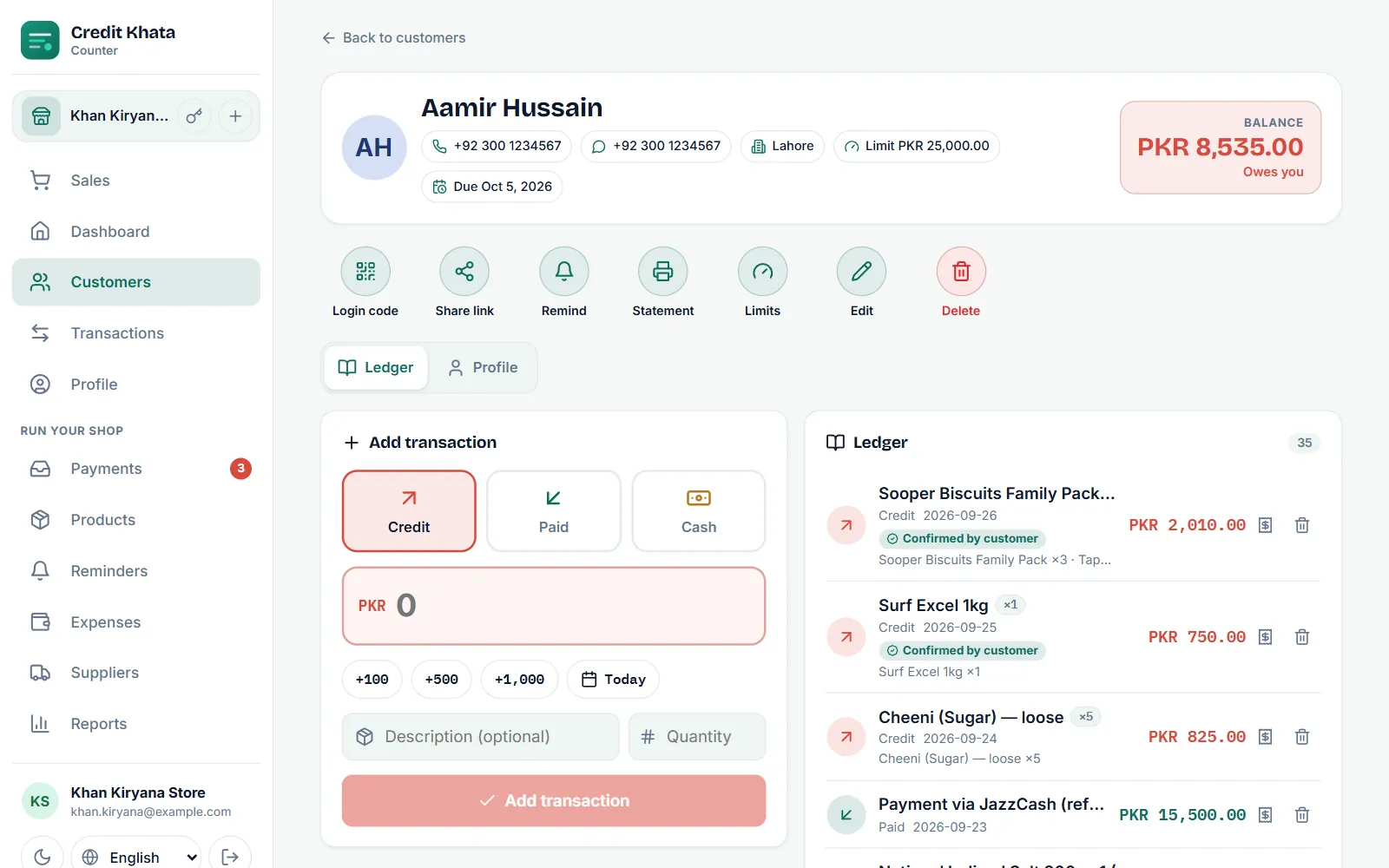
The customer's header now shows chips such as "Limit PKR 25,000.00" and "Due Oct 5, 2026" next to their phone number and city.
What happens at the counter
The balance that counts is the opening balance plus credit minus payments. Cash sales are paid on the spot and never count.
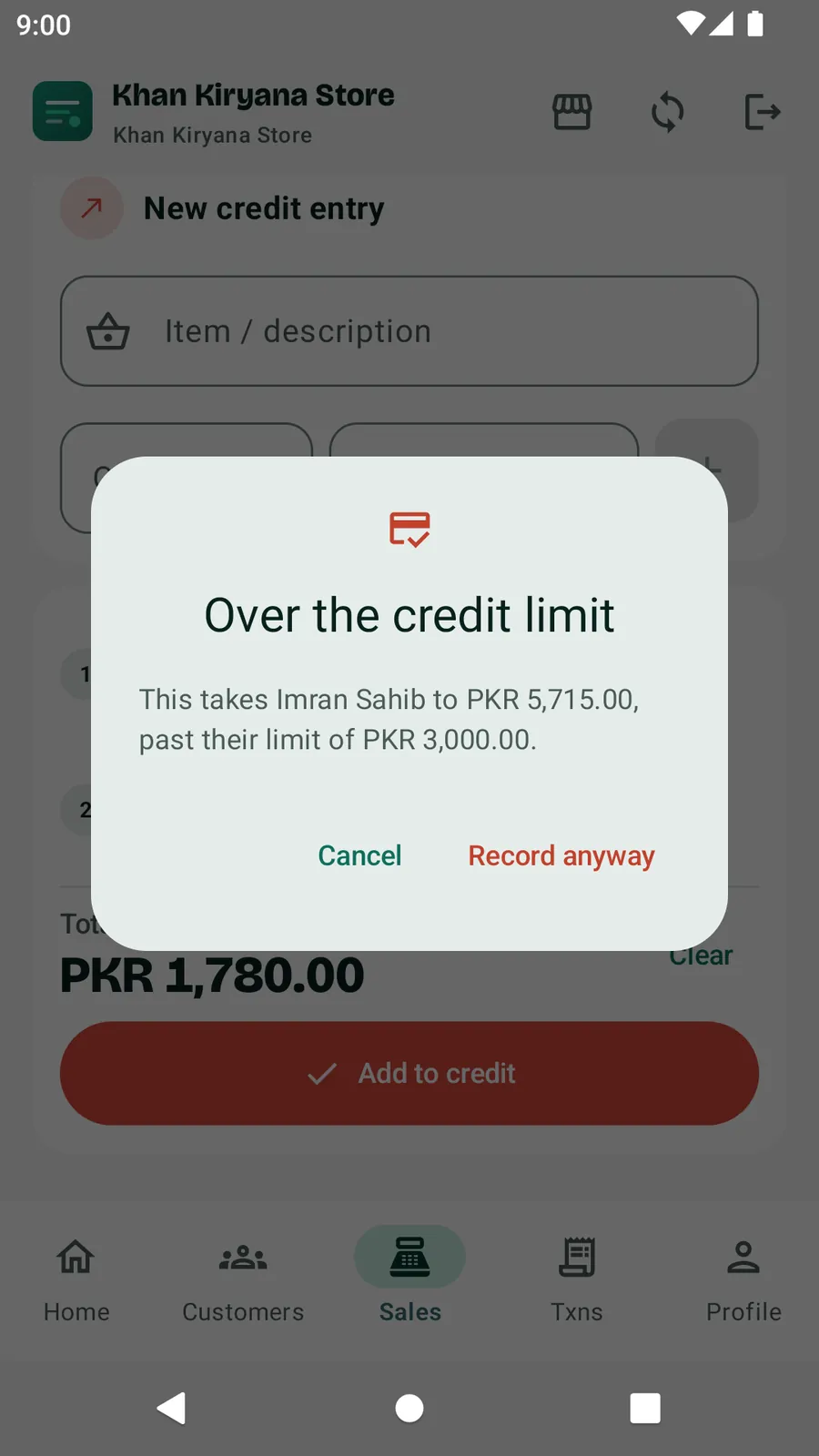
When a credit sale would take the customer past their limit, the counter asks before saving: "Over the credit limit", followed by the balance the sale would reach and the limit it passes.
- An owner or manager can tap Book anyway (in the Android app, Record anyway) to save the sale, or Cancel to change the basket.
- A cashier sees "Only the owner or a manager can go over a customer's limit." and cannot save the sale as credit. They can call a manager, take cash, or reduce the basket.
The server checks the limit again when the sale arrives, so two counters selling to the same customer at once cannot slip past it together. When an owner or manager goes over a limit, the override is logged with who did it.
What the customer sees
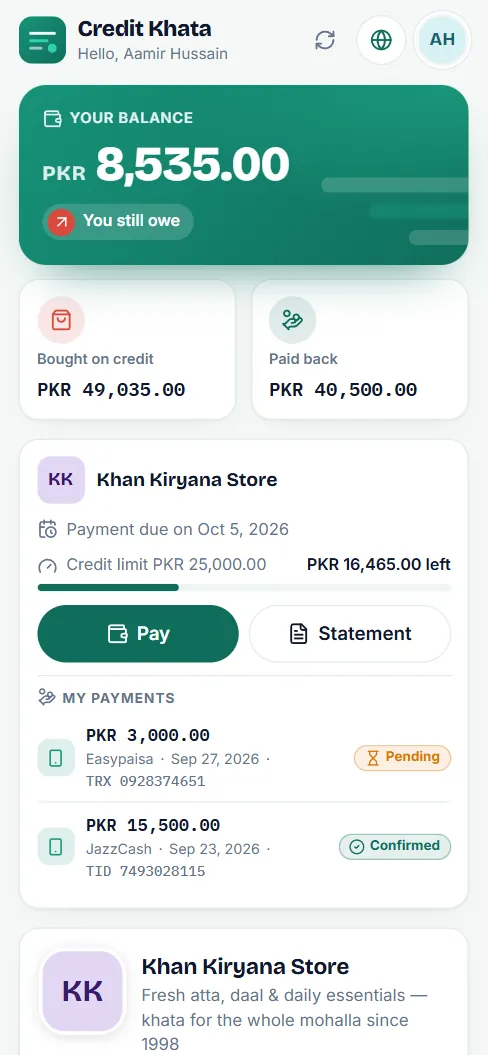
On their own khata the customer sees the limit as a bar with how much is left, and the date payment is due. After the date passes they see "Payment overdue". Being able to see the same numbers you see is what makes a limit feel fair rather than arbitrary.
Overdue customers
A customer is overdue when they still owe money and their Pay by date has passed; the due date itself is not overdue. Overdue customers get an Overdue badge in Customers and are listed under Reminders → Overdue, ready for a one-tap WhatsApp or SMS reminder. See Send payment reminders on WhatsApp or SMS.
The due date does not move by itself. When a customer settles up and starts a new month of credit, open Limits again and set the next date.
In the Android app
Open the customer and tap Edit. Owners and managers see Credit limit ("The most this customer may owe. Leave empty for no limit.") and Payment due by in the form. You can also set both when you create a new customer.
For advice on choosing limits, read How to set credit limits for your shop's customers.
Frequently asked questions
What happens when a sale would go over the limit?
The counter stops and shows Over the credit limit with the new balance. An owner or manager can choose Book anyway; a cashier cannot go past a limit.
Can a cashier change a customer's credit limit?
No. Limits and due dates are set by the owner or a branch manager. Cashiers see the limit but cannot change it.
Does the customer see their limit?
Yes. Their khata shows the credit limit, how much is left and the date payment is due, so the number is never a surprise.
Do cash sales count towards the limit?
No. The balance used for the limit is the opening balance plus credit minus payments. Cash sales are paid on the spot and do not add to it.
When is a customer marked overdue?
When they still owe money and the due date has passed. The due date itself is not overdue, and a customer who has paid everything is never shown as overdue.
Was this article helpful?
Need a hand?
Send us what you see on screen — a screenshot helps — and we will walk you through it.