Wetin new for Credit Khata: payments, queries, reminders and more
Credit Khata now dey help settle di ledger, no be only to keep am: customers dey pay by wallet and tap I don pay, confirm or query entries, and get one-tap reminders, with limits and more.
For this page
Credit Khata start as one shared credit ledger: di shop dey write di entry, di customer dey read di same record for their phone. Dis release dey help settle dat ledger too. Customers fit pay you by JazzCash, Easypaisa, Raast or bank straight from their account and tap I don pay; you go confirm am with one tap and e go write for you. Customers fit confirm or query any entry with note. Due dates dey arrange people wey pay late for one-tap WhatsApp reminders, and credit limits dey warn before sale go too far. Stock, reports, staff roles and more dey come with am.
Everything dey di counter app for web and for di Android app. Almost all of am dey work for every plan, including Free; staff logins na part of Pro.
Customers dey pay you direct, and e dey for record
Add di ways wey you dey collect money under Payment details: for Pakistan, JazzCash, Easypaisa, Raast, SadaPay, NayaPay or bank IBAN, with QR code if you get one. Shops for other countries dey see their own options, like bKash and Nagad, UPI or M-Pesa.
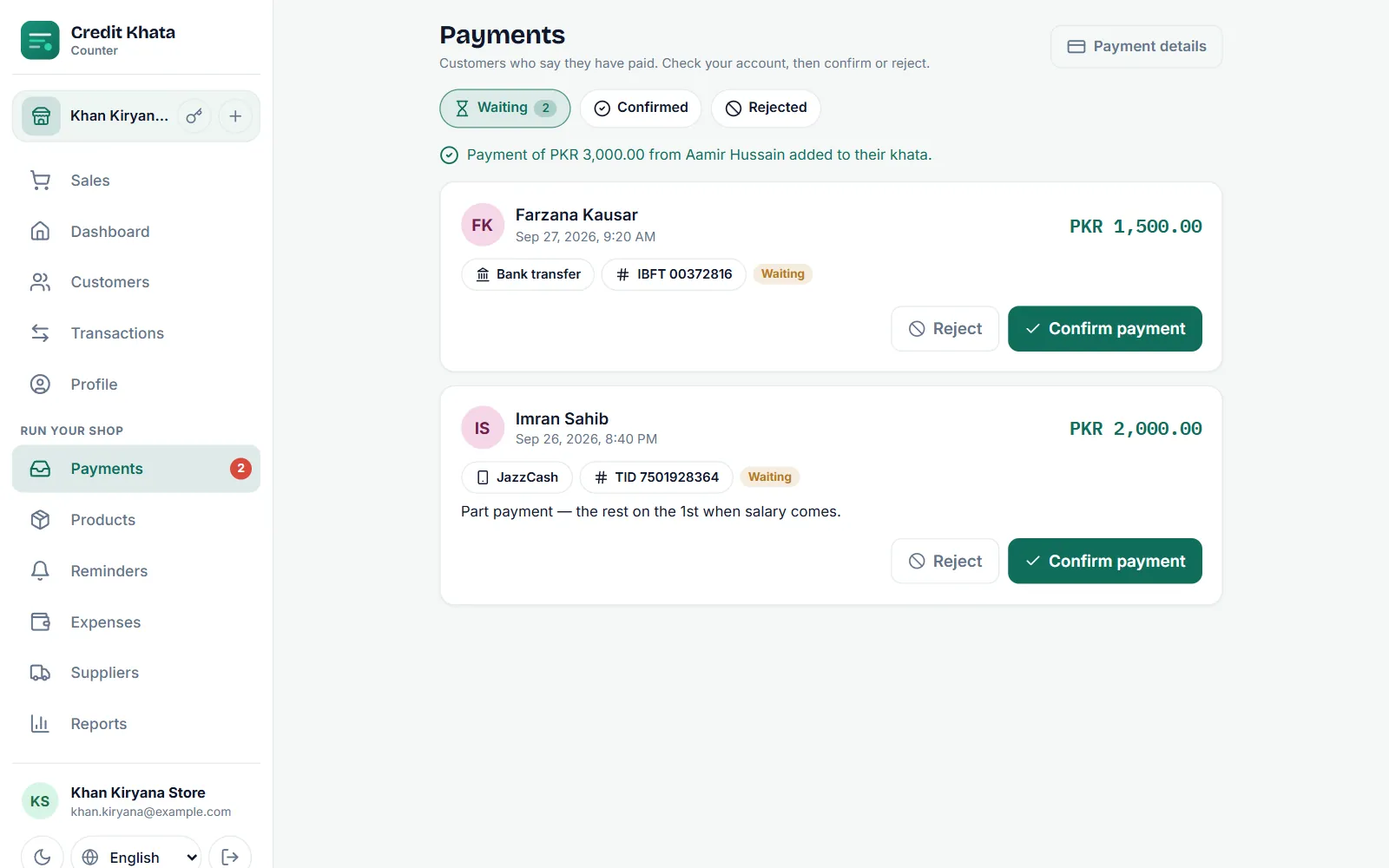
When customer tap Pay for their account, dem go see your account names and numbers with Copy button, pay for their own app, and tap I don pay with di amount and di transaction ID. Di claim go land for your Payments inbox. Check your account and tap Confirm di payment, and di payment go write for their account with di method and reference. If di money no dey there, reject am with reason wey di customer fit read.
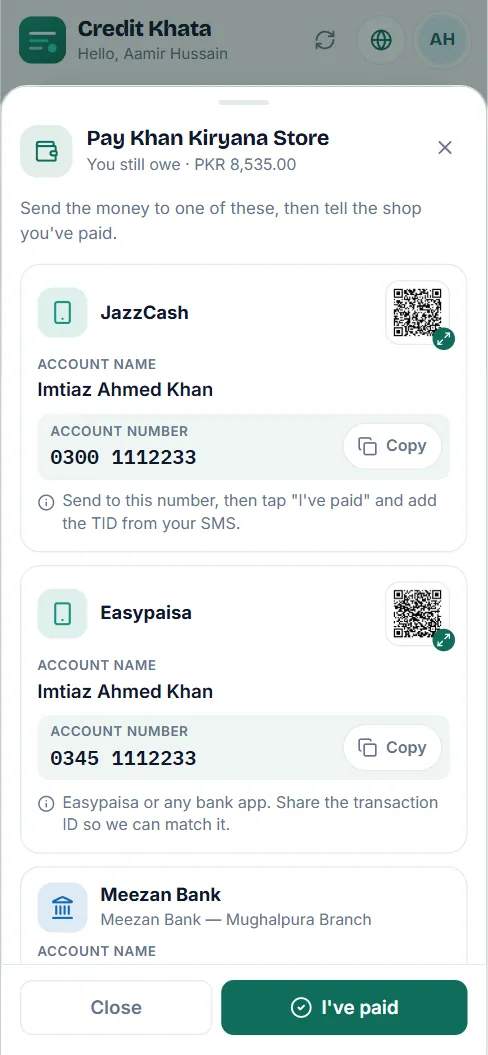
Nothing dey pass through Credit Khata: di money dey go straight to you, so no cut dey. How to set am up: Add your JazzCash, Easypaisa or bank details so customers fit pay you and Confirm payment wey customer talk say dem don make.
Every entry, checked
Each entry for customer account now get E correct and Report problem. Customer wey see mistake go write short note for dat exact line. You go see am with mark for their ledger and for your dashboard, correct your ledger if dem dey right, and settle am with reply wey dem fit read. Query no dey ever change entry by imself; your ledger remain your record, and di conversation dey stay beside am.
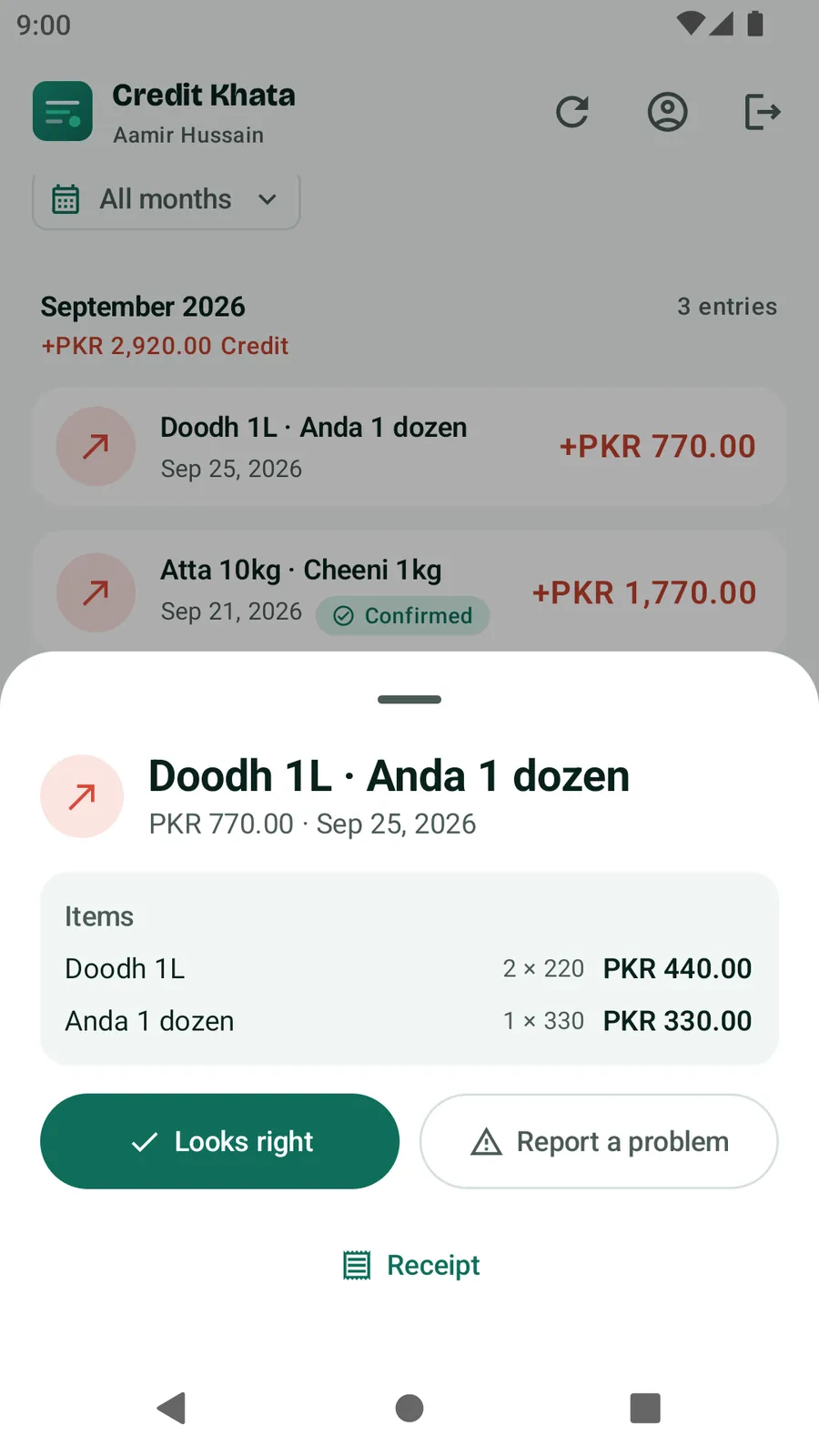
More for When customer argue entry: check, correct and settle am.
Due dates and reminders wey need only one tap
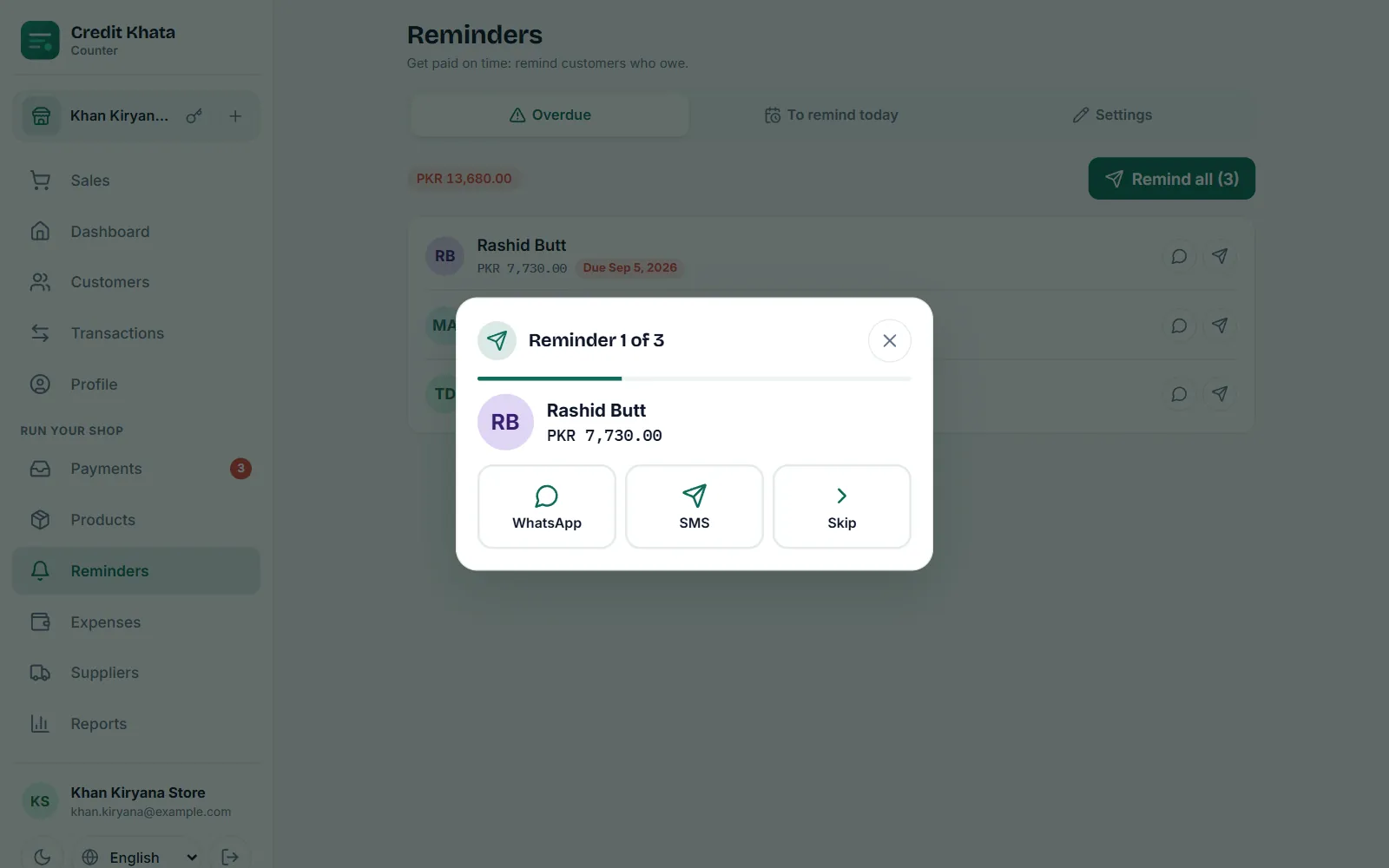
Give customer Pay by date. Once di date pass and dem still dey owe, dem go show under Reminders → Time don pass. Tap Remind everybody and go through di list: each reminder go open WhatsApp or SMS for your own phone with di name, di balance, di due date and one-time link to their account don already write. You go press send.
Owners and managers fit write their own reminder words, for any language, with placeholders for di name, shop, balance, due date and link. For Free and Pro, reminders dey always go from your own phone, for your name; automatic SMS and WhatsApp messages na part of di Business plan.
Step by step: Send payment reminders for WhatsApp or SMS.
Credit limits wey dey talk
Set di highest amount wey customer fit owe. When credit sale wan pass am, di counter go stop and ask. Di owner or manager fit pass am on purpose; cashier no fit. Di customer dey see their limit and how much remain for their own account. You dey set limits and due dates together from di Limit button for di customer page.
And di rest of di shop
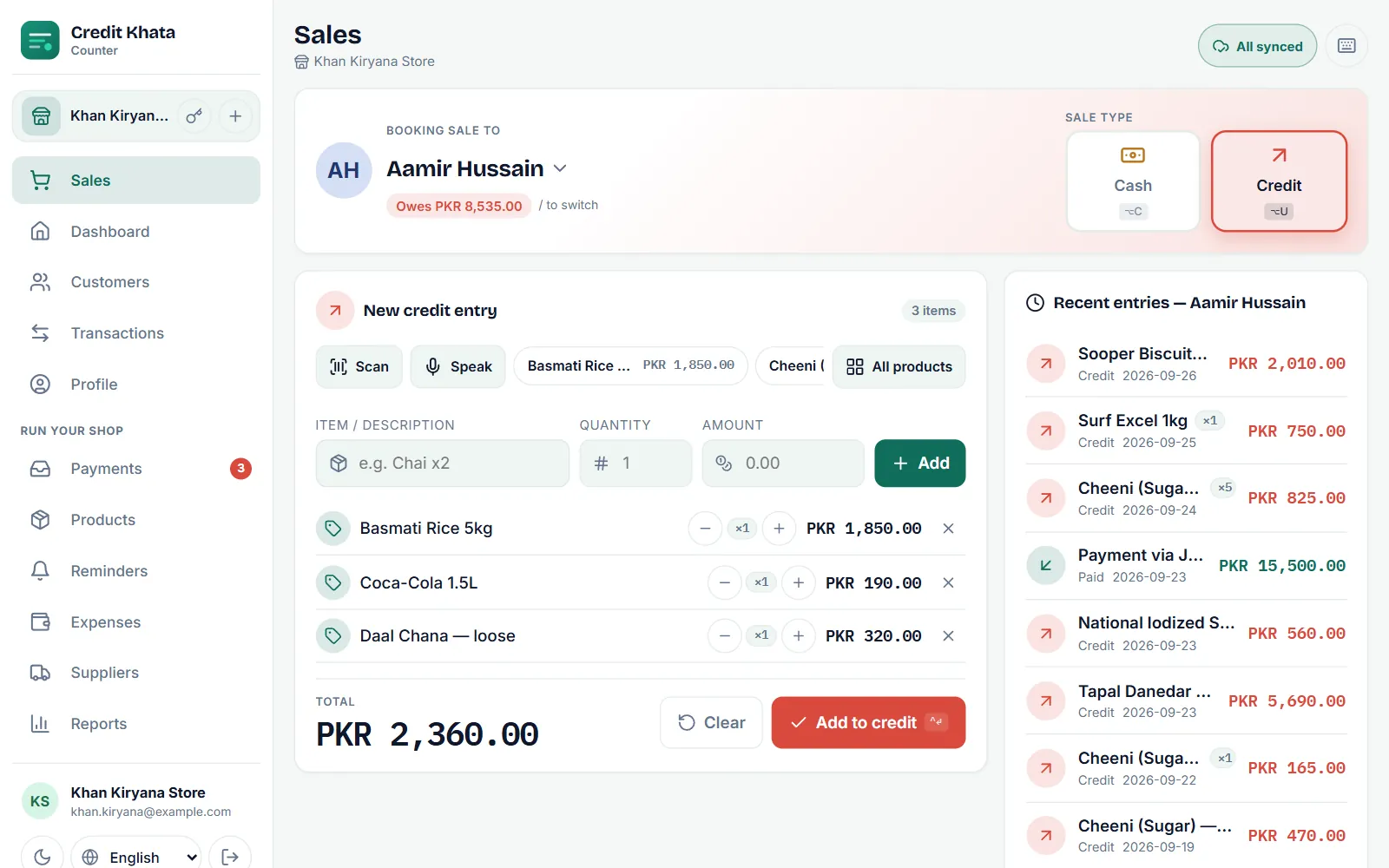
- Products and stock. Add products with prices, barcodes and stock counts; scan barcodes with di camera; each sale dey remove items from di count; Stock don low dey show wetin to buy again.
- Talk am instead of to type am. Tap Talk, talk di item and price, and check di line before you save.
- Expenses and suppliers. Record rent, bills and salary, and wetin you owe each supplier.
- Reports. Cash book, old debts wey dem group by age, sales by day or month with top customers and items, and estimated profit.
- Staff roles. Separate logins for managers and cashiers, each one tie to one branch (to add staff logins na part of Pro).
- Statements and receipts. Customer full statement to print or save as PDF, and receipts for small 58 mm and 80 mm printers.
- Security. Two-step login by email for di owner, list of devices wey don sign in, PIN or fingerprint app lock for Android, and download of all your data.
Who fit use wetin
Di new tools dey follow di staff roles, so you fit hand di counter to cashier without to hand over di books:
| New feature | Cashier | Manager | Owner |
|---|---|---|---|
| Confirm or reject "I don pay" claims | Yes | Yes | Yes |
| Send reminders | Yes | Yes | Yes |
| See products and sell dem | Yes | Yes | Yes |
| Set limits and due dates, pass limit | No | Yes | Yes |
| Settle queries | No | Yes | Yes |
| Payment details and reminder words | No | Yes | Yes |
| Stock changes, expenses, suppliers, reports | No | Yes | Yes |
| Staff logins, data download, two-step login | No | No | Yes |
Back office for your pocket
For di Android app, di Home screen dey put wetin dey wait first: under E dey wait for you, chips like Payments to confirm and Entries wey dem query dey show number and open di list. Under dem, up to eight quick links wey you pin by yourself dey, and All tools dey list every other thing, including Payments, Wahala for entry, Don pass date, Products, Expenses, Suppliers and Reports, with search box.
How to get am
- Counter app: open ck.abdohoo.app/pos-pwa. When new version ready, e go show Update am now.
- Android: update Credit Khata from Google Play. E need Android 8.0 or newer.
- Customers no need do anything. Di Pay button and entry checks go show for their account.
Customers wey dey read their own account no dey ever pay. Like before, di counter dey work when internet cut, and every screen dey available for Pidgin, Urdu and plenty other languages, with Urdu, Arabic and Persian wey dey arrange from right to left.
Questions wey people dey ask
How I go get di new features?
Di counter app for your browser dey update by imself; when new version ready e go show Update am now. For Android, update Credit Khata from Google Play.
Di new features dey cost extra money?
Payments, queries, reminders, limits, products and stock, expenses, suppliers and reports dey for every plan, including Free. Staff logins and extra branches na part of Pro, wey every new shop dey get free for im first month. Customers wey dey read their own account no dey ever pay.
Credit Khata dey take cut from payments?
No. Customers dey pay you direct for their own wallet or bank app. Nothing dey pass through Credit Khata.
My cashier fit use di new features?
Cashiers fit confirm payments and send reminders. To set limits, settle queries, payment details, reports and stock changes na for di owner and managers.
This post help you?